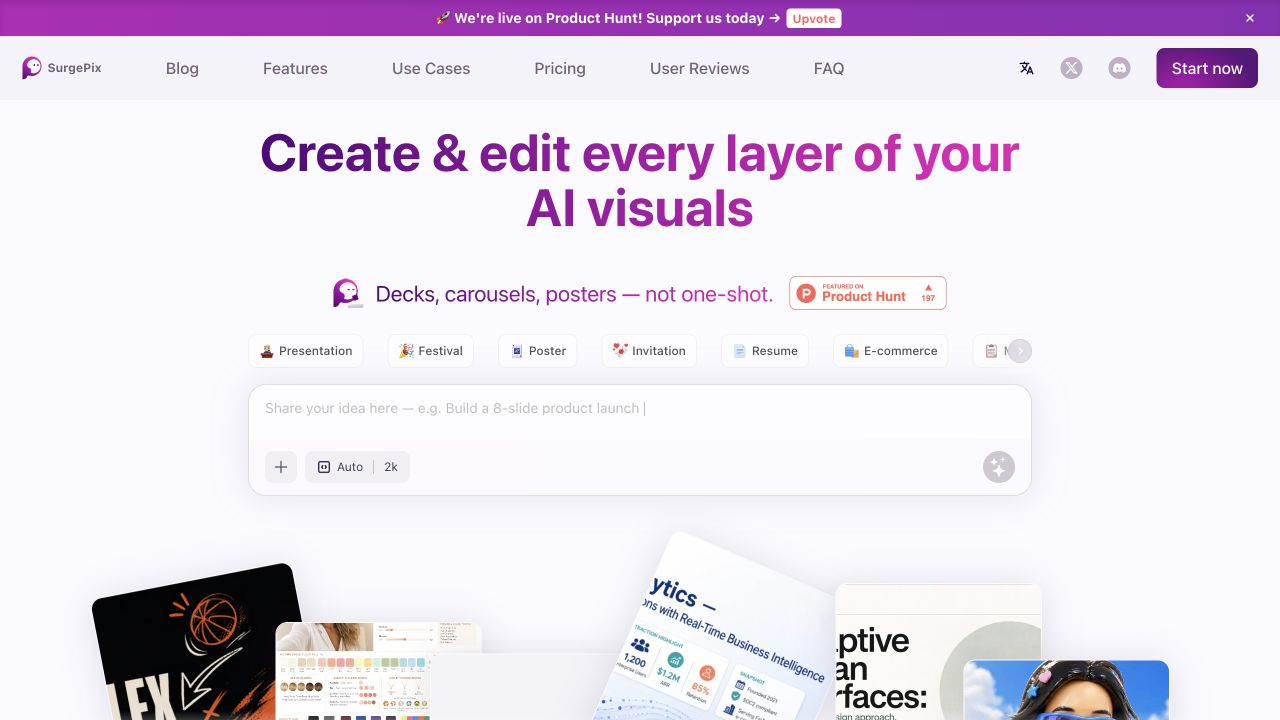
SurgePix is an AI visual workspace that advertises generation, layer separation, conversational edits and brand kits. It is relevant when revising a visual is the main job; export compatibility, current plan limits and commercial permissions still need confirmation.
SurgePix is interesting for the moment after an AI image looks promising: a headline needs correcting, a background needs changing or the next graphic has to match the same campaign. Its public product description combines generation with layer separation, conversational edits and project-linked brand assets. [1]
It appears in the 26 October 2026 Product Hunt launch activity. Earlier vendor-company coverage from June already discussed the product, so this is a recent launch appearance rather than evidence that the service was created today. We researched the official material and public interface without generating or exporting a design. [4][5]
What editable layers should mean in your workflow
The official page says its layer-separation feature can isolate elements such as subjects, backgrounds and text. It also describes conversational changes to visual details. That is a different workflow promise from merely producing another flattened image after every request. The quality and precision of those operations remain untested here. [1]
For a creator making a video cover, the useful question is specific: can you change the headline while preserving the face, product and visual hierarchy? A result that redraws the entire composition may be less practical than one that makes a controlled correction. Start with one meaningful revision instead of generating a large collection of unrelated concepts.
Text deserves its own inspection. Ask whether the words remain editable, whether an unusual product name survives and whether the final output is legible at thumbnail size. A design can look convincing on a large canvas while failing in a crowded mobile feed. We are proposing these checks, not reporting results from a SurgePix benchmark.
Brand kits and related campaign assets
SurgePix advertises brand assets bound to chats and projects, along with reference-guided creation. That could be relevant when a creator needs a cover, a carousel and a promotional graphic to share a recognizable style. A saved brand kit is a starting input, not independent proof of reliable brand adherence. [1]
Write down the rules that actually matter: approved colors, logo spacing, type choices and elements that must not change. For a small launch campaign, use the same short message across two formats and inspect how the hierarchy adapts. Compare the exported files together rather than approving each preview in isolation.
Do not ask the tool to solve a brand decision you have not made. If you change the audience, message and visual direction between attempts, it becomes difficult to tell whether variation came from the system or the brief. A modest, fixed assignment produces more useful evidence for a subscription decision.
The export is part of the product
The homepage presents decks, posters, carousels and other visual formats. Its tools and skill collections also show several specialized routes. That breadth does not establish which editable production formats are available on your selected plan. [1][2][3]
Before relying on it, check the file you need to hand off. For a video cover, inspect the pixel dimensions, compression and readable text. For a presentation, establish whether the recipient gets editable objects in a compatible file or a set of images. For an illustrator, inspect whether exported vector paths can be edited in the intended software. These requirements are not interchangeable.
Keep a copy of your original references and approved output. A cloud canvas is convenient during creation, but a delivery workflow should also explain how you retrieve the files a collaborator or client needs. This review has not verified SurgePix's export formats or project portability.
Pricing, free access and commercial rights
The public page showed monthly and yearly pricing controls and a free-start invitation, but no verifiable numeric plan table appeared in our inspection on 26 October 2026. We are not quoting a starting price, recurring free quota or an unlimited generation entitlement. Confirm them in the current product before buying. [1]
Commercial permissions also need a direct check. A tool's ability to generate a logo or product graphic does not establish that every plan grants the rights needed for paid client work. We did not verify an applicable commercial-use license in this research. Avoid treating a free preview or a marketing example as a rights statement.
If a confidential campaign is involved, check privacy and project visibility before supplying assets. We have not established a local-only processing route or a particular confidentiality commitment. Those unknowns should be settled before using material whose disclosure would matter.
Agent skills: useful only if the workflow needs them
SurgePix also publishes agent-oriented skills. That can matter for a developer building a repeatable visual workflow, but it is optional context for most creators choosing a design tool. We did not install skills, connect an agent or validate an API integration. [3][4]
Start with the visual assignment itself: one graphic, one controlled revision and the required export. SurgePix deserves investigation when revision control is the pain point. The present evidence supports that use-case shortlist, while plan details, licensing and actual editing quality remain questions to resolve rather than promises to repeat.
How we assessed this tool
Documentation-based editorial research. Official pages, current public plan information and product-launch references checked on 26 October 2026. No paid account, installation, output generation or performance benchmark was conducted. Screenshot is the official website, not our test output.
Questions & answers
Can SurgePix edit text and layers?
The official site advertises layer separation and conversational editing of subjects, backgrounds and text. We have not tested the precision or editability of an exported file.
Is SurgePix free?
The official page invites users to start free, but a numeric recurring allowance and current plan prices were not verified in our inspection.
Does SurgePix allow commercial use?
This research did not verify an applicable commercial-use license. Check the terms for your selected plan and the rights in your reference assets before client work.
Sources & check dates
- 1. Official SurgePix product and features ↗ · Checked 2026-10-26
- 2. Official tools collection ↗ · Checked 2026-10-26
- 3. Official agent-skill collection ↗ · Checked 2026-10-26
- 4. 26 October Product Hunt launch ↗ · Checked 2026-10-26
- 5. Earlier vendor-company coverage ↗ · Checked 2026-10-26