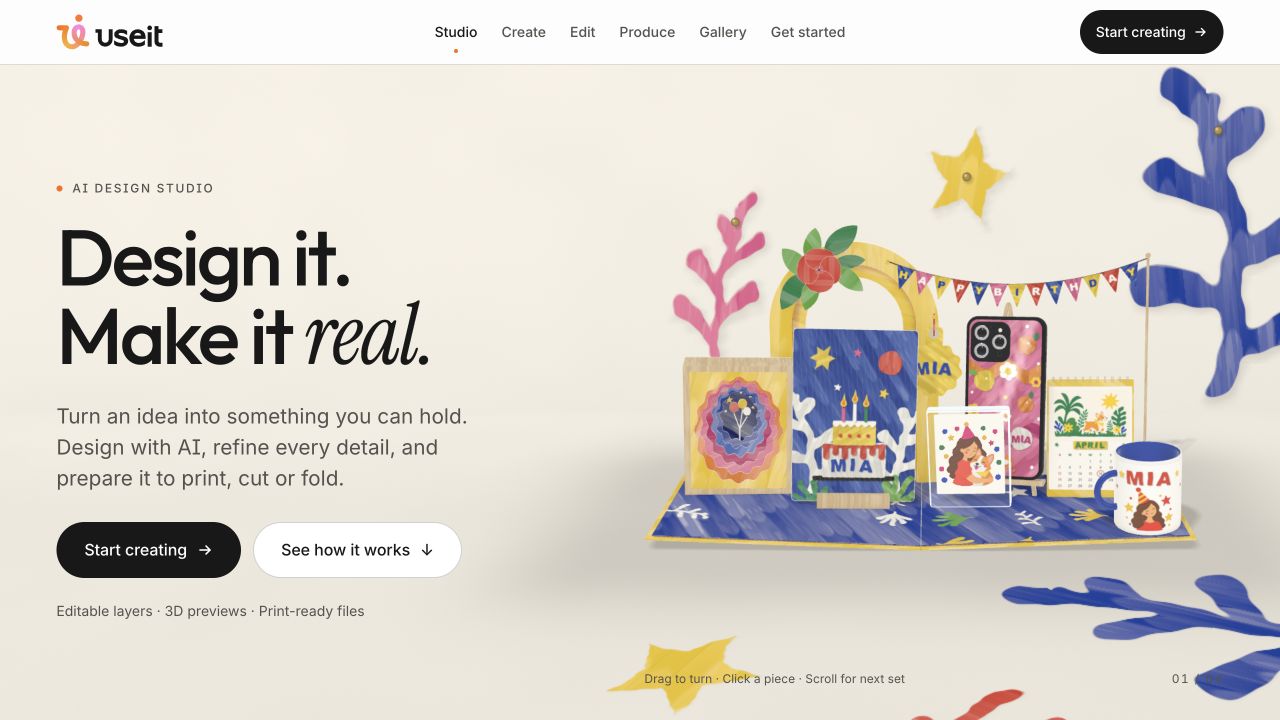
UseIt Studio is an AI design workspace for physical products such as stickers, cards and packaging. It advertises editable designs, 3D previews and production-file preparation, but files still need a supplier-specific check before manufacturing.
UseIt Studio focuses on a different creator job from generating a social image: making something that can become a sticker, card, package or other physical object. The official site combines AI-assisted design with editable layers, production preparation and 3D previews. The appeal is a shorter route from an idea to a file a maker can inspect and use. [1]
We found it through recent competitor coverage, including a directory entry dated 22 October 2026. That establishes a recent discovery reference, not a verified original release date. This review uses the official product page and policies; we did not install the Windows application, order a physical sample or validate a print file. [4]
Where UseIt fits for a creator
The homepage shows projects such as stickers, pins, cards, packaging and coordinated brand materials. It describes selecting part of a design and requesting a change while keeping the rest, plus separating designs into editable layers. Those capabilities are relevant when a creator wants to refine a small merchandise idea without restarting the whole composition. [1]
Start with a modest project: one sticker in a known size for an existing audience. Decide what viewers should recognize and how the artwork will be used. A design for a small cut sticker has different requirements from a large print, even if both originate from the same character or logo.
Specify the production constraint early. “Make it attractive” leaves too much unresolved. A more useful brief identifies the intended object, finished dimensions, required text and the part that must remain recognizable. We have not tested how accurately UseIt follows such a brief; it gives you a practical basis for evaluation.
Cut lines, white ink and 3D previews
The official product page describes tracing cut lines and preparing a white-ink layer for shaped pieces, alongside live previews for supported objects. It also presents a handoff into Illustrator. These are useful workflow claims, but a convincing preview is not a manufactured proof. [1]
Ask your actual supplier for its requirements before approving a file. Check physical dimensions, bleed, safe areas, cut paths and any white-ink naming convention. For folded packaging, verify panel order and the location of text around folds. The supplier's accepted specification determines whether a file is ready for that job.
Inspect the exported artwork in compatible software at the final size. Thin lines, tiny text and detailed shapes may behave differently when printed or cut. If the project matters, a physical sample provides evidence a browser preview cannot. These are our production recommendations; we have not tested the output on a printer or cutting machine.
Gallery designs have separate rights
UseIt's terms describe a public Gallery where people can publish designs that others adapt. Publishing exposes specified design information and a public profile, while project chats remain private. The Gallery can therefore help others reuse a design, but it should not be treated as a private client handoff. [2]
Unless a design page states otherwise, the terms give adapted Gallery results a personal-use license, including gifts and non-commercial personal events. That is a significant distinction for a creator planning merchandise sales. Paying credits to adapt a template does not, by itself, establish permission to sell products based on it. [2]
The terms also say creators are not currently paid for Gallery credit purchases. Do not assume publishing a template creates a revenue stream. Check the rights and commercial arrangements shown for the particular design rather than treating all projects, templates and generated work as one license category. [2]
Browser versus Windows desktop app
UseIt offers a browser workflow and a Windows desktop application. Its terms describe the desktop app working with software such as Illustrator, Photoshop and PowerPoint by operating the interface on the user's instructions. That can include screenshots and mouse or keyboard control. It does not supply licenses for those other applications. [1][2]
The privacy policy says the service uses cloud AI and can send task-relevant inputs, selected files and screenshots to model providers. It says the desktop app does not scan the disk or screen in the background. It also says content is not used for model training, while AI-run records can be retained and reviewed for troubleshooting and quality. [3]
Those distinctions matter for client work. “Not used for training” is not the same as “processed entirely on my computer.” Start in the browser if that covers your task, and evaluate the desktop route only when its additional capabilities are useful and permitted for the material you handle.
Pricing and the buying decision
The inspected public information did not establish current dollar prices or a recurring free allowance. The terms describe paid features, credits, subscriptions and physical orders, with applicable prices displayed in the service. We are not labeling it a verified free plan or quoting an unconfirmed starting price. [2]
For a creator, there may be separate decisions about software access, credits, third-party design software and physical production. Compare the complete route to one usable item. UseIt deserves investigation for small physical-design projects, provided you settle template rights, cloud-processing permissions and supplier specifications before turning a preview into a paid order.
How we assessed this tool
Documentation-based editorial research. Official pages, current public plan information and product-launch references checked on 26 October 2026. No paid account, installation, output generation or performance benchmark was conducted. Screenshot is the official website, not our test output.
Questions & answers
Can UseIt Studio make print-ready sticker files?
The official site advertises cut-line and white-ink preparation. We have not validated a file with a printer; confirm supplier dimensions, bleed and production specifications.
Can I sell merchandise made from a UseIt Gallery template?
Do not assume so. The inspected terms default adapted Gallery results to personal use unless the design page states otherwise. Check the specific template rights.
Is UseIt Studio local-only?
No. Its privacy policy describes cloud AI processing. Desktop tasks can send relevant screenshots and selected material to providers; the policy separately states no background disk or screen scanning.
Sources & check dates
- 1. Official product ↗ · Checked 2026-10-26
- 2. Terms, Gallery licenses and desktop behavior ↗ · Checked 2026-10-26
- 3. Privacy and cloud AI processing ↗ · Checked 2026-10-26
- 4. Recent competitor directory addition ↗ · Checked 2026-10-26