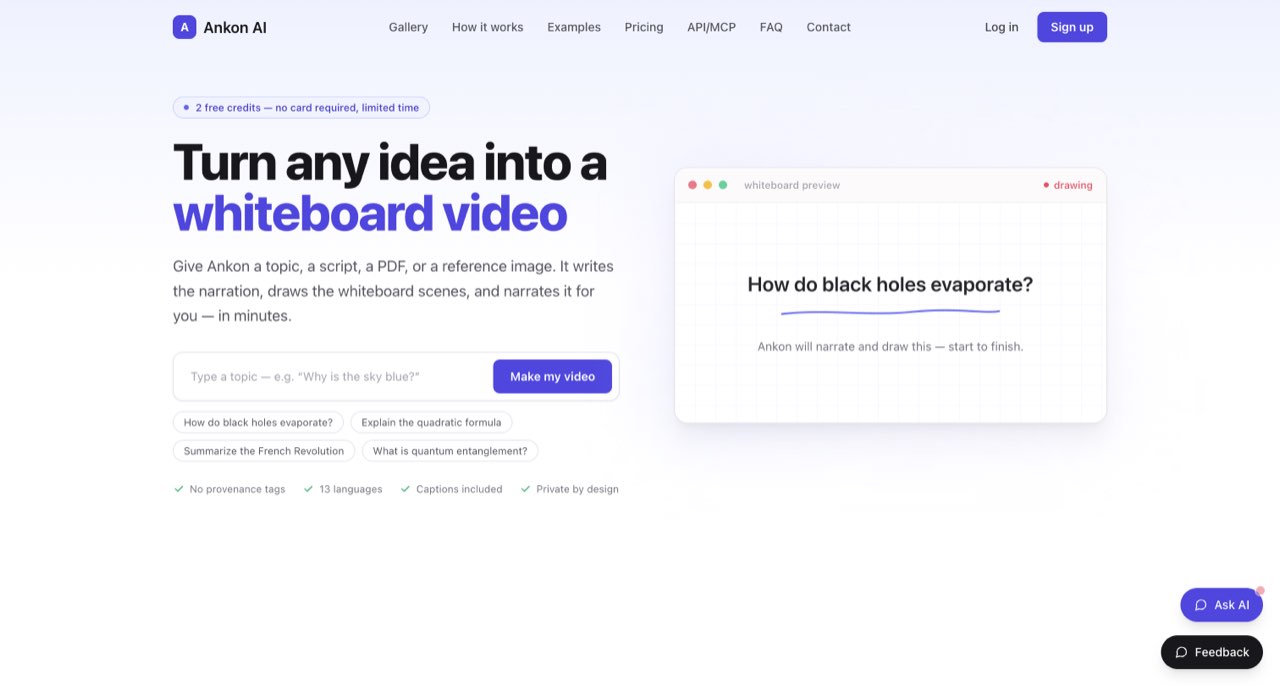
Ankon accepts a topic, script, PDF or reference image and advertises an automated whiteboard-video workflow with narration and captions. It is worth considering for educational explainers and creator tutorials when the subject can be taught through a focused sequence of drawings. This review examines the public product, pricing controls and policies; it does not assess a paid rendered video.
A useful PDF often makes an unhelpful video script. It contains headings, footnotes, references and repeated context that work on a page but interrupt a spoken explanation. Ankon AI offers a shorter route from that source material to a narrated whiteboard video. The editorial work is deciding what the viewer must understand after watching.
Ankon accepts a topic, script, PDF or reference image and advertises an automated whiteboard-video workflow with narration and captions. It is worth considering for educational explainers and creator tutorials when the subject can be taught through a focused sequence of drawings. This review examines the public product, pricing controls and policies; it does not assess a paid rendered video. [1]
Choose a teaching objective before uploading
Suppose you have a ten-page guide to choosing a microphone. Converting every section into a two-minute video would produce a compressed table of contents. A more useful brief would ask the viewer to understand one decision: when room noise matters more than buying a more expensive microphone.
Extract the relevant section, identify the comparison you want to explain and write down the claim that needs evidence. Then give the video a beginning, an example and a practical next step. This is a proposed editorial method, not an Ankon feature claim. It makes any source-to-video service easier to judge because you know what a successful output should contain.
Reference documents should contain the information the narration actually needs. Remove irrelevant personal details and material you lack permission to upload. A smaller, well-chosen source also makes the factual review manageable: you can compare every important statement against the original rather than trying to audit an entire document at once.
What the published workflow includes
The developer documentation describes source-to-video generation, 13 languages, vertical and landscape formats, and captions with SRT delivery. The live monthly cards place REST API and MCP in Studio. Check the intended plan instead of assuming the presence of documentation means access is included in every subscription. [2] [1]
The whiteboard format is especially useful when a drawing explains a relationship: a process moving between steps, two options being compared, or a simple mechanism being assembled. It is harder to justify when the audience needs to see the real interface, product dimensions or an exact screen recording.
For a software tutorial, use a generated explainer to introduce the concept, then show actual software for the operational steps. A drawing of a settings panel cannot establish that the current application has that panel. Treat illustrative scenes and evidence-bearing visuals as separate editorial assets.
Monthly and annual prices are easy to confuse
We checked both positions of the live billing switch. The table records the month-to-month price and the total annual commitment, rather than presenting an annual monthly-equivalent figure as a monthly subscription. The page states that taxes are excluded. [1]
| Plan | Month-to-month | Annual total shown | Credits added monthly |
|---|---|---|---|
| Starter | US$29/month | US$276/year | 15 |
| Plus | US$69/month | US$660/year | 40 |
| Pro | US$119/month | US$1,140/year | 75 |
| Studio | US$249/month | US$2,388/year | 160 |
A monthly equivalent is a way to compare annual spending, not a promise that you can pay that amount one month at a time. If you are still discovering whether the whiteboard format suits your audience, a larger annual commitment should follow a successful evaluation rather than substitute for one.
Budget for a finished explanation, not just its runtime
Ankon describes one credit as approximately one minute of finished video and says advanced operations can consume more. Its current headline offers two signup credits, while older explanatory pages still mention five. We would plan around the current two-credit offer and verify the actual account balance; the older number is not a reliable entitlement. [1] [5]
A 15-credit allowance therefore suggests a rough runtime ceiling, not a guaranteed number of polished episodes. Your production plan should account for additional operations, unwanted versions and a final edit. Before subscribing, decide whether you expect one carefully prepared explainer or many exploratory drafts.
For example, a creator planning four two-minute lessons needs eight minutes of final material. That arithmetic leaves room within a nominal 15-credit allowance, but it does not prove the entire job will fit. Check the displayed cost before each action and keep a small record of charges during the first lesson.
Developers need another detail: the API documentation states a two-credit minimum. Do not apply a simple one-credit estimate to a short API job or assume that API billing and every browser action have identical minimums. [2]
A fact-checking feature does not finish the fact check
Ankon advertises fact-checked scripts. The useful question is whether the final narration preserves the source's qualifications, dates and exceptions. A sentence can be grammatically clear and still become misleading when a drawing turns an uncertain relationship into a simple cause-and-effect arrow. [1]
Review the narration before judging the animation. Mark each specific number, named source and claim about how something works. Confirm them against the document or a primary reference. Then inspect whether the scenes communicate the same meaning. A charming illustration of the wrong process is still the wrong explanation.
Finally, check the exported captions. Spoken names and technical abbreviations deserve special attention, especially when the lesson will be reused as a course asset. Keep the corrected script with the finished video so a future update starts from an approved explanation.
What “private by design” leaves you responsible for
The privacy policy describes processing through hosted models and third-party providers, narration services, rendering infrastructure and cloud storage. It says Ankon does not train its own foundation models on inputs, while provider handling depends on the relevant API terms. Voice cloning involves a recording and a separate provider flow. This is a hosted production service, not an offline document converter. [3]
That distinction matters for unpublished client material, private research and identifiable interviews. Use a sanitized source for your first evaluation. If a particular document needs contractual protection, establish the applicable handling before upload rather than relying on a reassuring homepage label.
Keep optional voice cloning outside the initial trial. A preset narration voice is sufficient to evaluate whether the explanation, scene choices and captions meet the job. Add a personal voice only when it solves a real publishing requirement and you understand where its recording is processed.
The evaluation that would justify paying
Choose a single-page source with one important qualification. Ask for a short explanation, then compare the script, visuals and final captions against that source. Record the plan, billed operation and amount of correction needed. A worthwhile result should teach the intended idea without quietly changing its meaning.
Ankon is a plausible fit for creators who can prepare accurate source material and review a generated teaching sequence. For an explanation built around an existing presentation, compare the workflow with CutBay. For a presenter-led delivery, our HeyGen guide addresses a different production format. The right choice follows the teaching job you need to finish.
For presenter-led explainer videos, read our HeyGen guide. ↗
For turning existing material into creator videos, read our CutBay guide. ↗
How we assessed this tool
Official product, documentation and policy research; no account-based or paid-output benchmark.
Questions & answers
Can I publish a generated lesson without reviewing the script?
Review it first. Compare numbers, names and important qualifications against the source, then inspect whether the drawings and captions preserve the same explanation.
Why can a very short API video cost more than one credit?
Ankon's developer documentation states a two-credit API minimum. Check the cost of the actual operation; do not assume every interface uses the same minimum.
How should I evaluate a PDF-to-whiteboard workflow?
Use a short, non-confidential source with one important qualification. Check the narration, scene meaning, captions and actual charge before trying a larger document.
Sources & check dates
- 1. Ankon product page and live monthly/annual pricing controls ↗ · Checked 2026-10-26
- 2. Ankon developer documentation ↗ · Checked 2026-10-26
- 3. Ankon privacy policy and data routing ↗ · Checked 2026-10-26
- 4. Ankon terms ↗ · Checked 2026-10-26
- 5. Ankon explanatory guide (older signup-credit wording) ↗ · Checked 2026-10-26
Related reading & tools
 article
CutBay Review: Document-to-Video Workflow and Pricing Checks
CutBay turns documents, slides, links and prompts into videos. A source-based look at factual accuracy, edits, exports and unverified plan limits.
Read more ↗ article
HeyGen Review for Creators Adapting Videos for New Audiences
Evaluate HeyGen for translated videos and avatar presentations. Compare current plans, script correction needs, consent requirements and practical limits.
Read more ↗