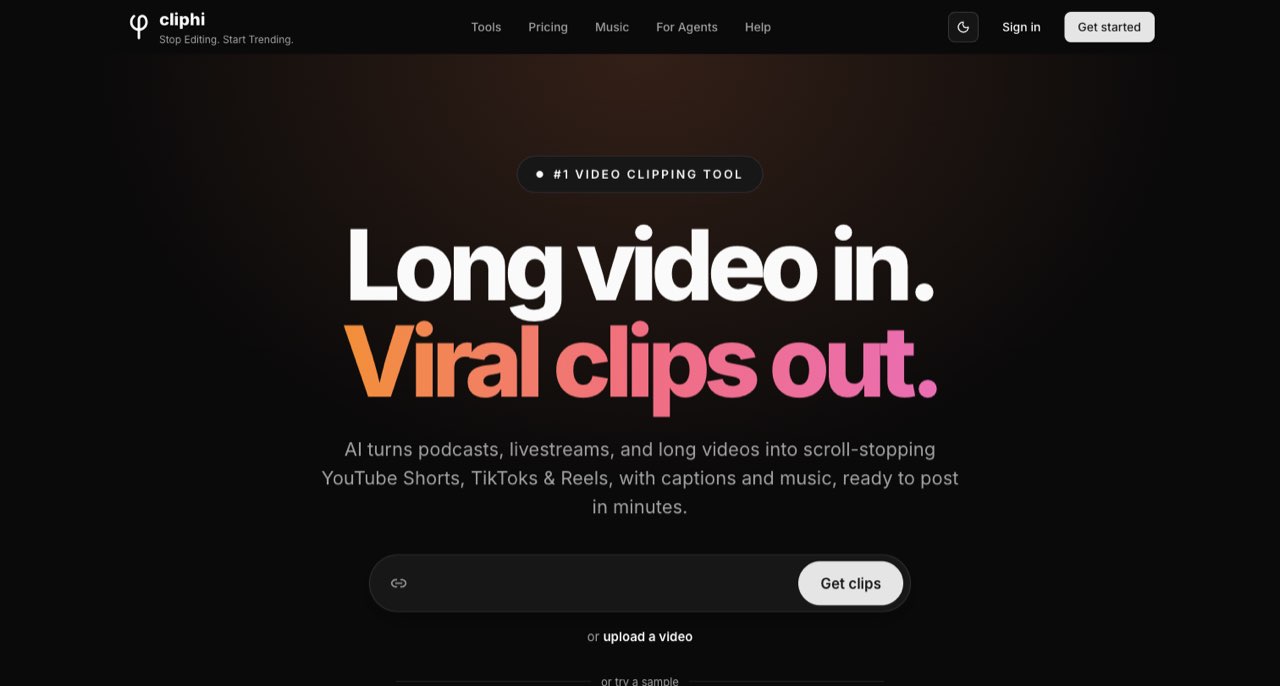
Cliphi is an AI clipping service for turning long recordings into captioned social videos. Its published credit formula makes it possible to estimate a job before subscribing. The strongest reason to shortlist it is that transparency; a low subscription price alone tells you very little about the cost of a finished publishing schedule.
A podcast can produce plenty of short clips and still be expensive to repurpose badly. You pay for the processing, spend time correcting the captions, and discover that half the selected moments need another render. Cliphi is interesting because its pricing exposes two separate meters: the length of the source video and the length of the clips you finish.
Cliphi is an AI clipping service for turning long recordings into captioned social videos. Its published credit formula makes it possible to estimate a job before subscribing. The strongest reason to shortlist it is that transparency; a low subscription price alone tells you very little about the cost of a finished publishing schedule. [1]
Where Cliphi fits in a creator's workflow
The official help center covers YouTube videos and livestreams, Twitch and Kick sources, podcasts and uploaded files. It also documents trimming, caption styling, framing corrections, speaker-safe zones, brand presets and downloading finished clips. These are documented capabilities, rather than functions we have tested in an account. [2]
That combination suits a creator who already has something worth saying in a longer recording. A good candidate is a conversation containing clear explanations, specific examples or useful disagreements. A difficult candidate is a recording in which every answer depends on a chart that disappears when the frame becomes vertical.
Before importing an episode, write down the job each short should do. One might answer a beginner's question; another might explain a mistake; a third might show a practical demonstration. These are different editorial briefs. Asking any clipping tool to find the most exciting moments can leave you with several versions of the same dramatic sentence.
How Cliphi credits translate into a real job
The pricing page specifies one credit per minute of input and 0.25 credits per second of rendered output. Using those published rates, a 60-minute recording followed by ten 45-second exports requires an estimated 172.5 credits: 60 for the source and 112.5 for 450 seconds of output. This calculation assumes those are the only charged operations and excludes additional renders. [1]
| Planning example | Input | Finished output | Calculated credits |
|---|---|---|---|
| A short interview | 30 minutes | Four 30-second clips | 30 + 30 = 60 |
| A weekly podcast | 60 minutes | Ten 45-second clips | 60 + 112.5 = 172.5 |
| A longer recording | 120 minutes | Twenty 60-second clips | 120 + 300 = 420 |
These are illustrative budgets, not measured invoices. Their purpose is to expose the relationship between the source and the publishing plan. Ten one-minute clips from that same 60-minute episode would require 210 credits under the formula, so a change in clip length can matter more than a change in episode length.
The page displayed US$1.49 per month for 200 credits, US$4.99 for 1,200, and US$9.99 for 2,500 when checked. Its smallest listed top-up was US$4.99 for 1,000 credits. Confirm the region, taxes and selected plan at checkout; the terms describe credit packs as available to active subscribers. [1] [3]
Render fewer clips before you render more clips
A sensible first pass is editorial. Review the proposed moments, remove duplicates and identify any clip that needs missing context. A sentence such as “That is why it failed” may sound intriguing but still need the previous sentence to make sense. Adding that context can change the duration, pacing and credit budget.
Then correct the elements most likely to damage an otherwise useful short: the opening frame, the speaker crop, names in captions and the last sentence. A clean ending often matters more than adding another visual effect. If a clip promises an answer and cuts away before delivering it, the export is unfinished even when the captions look polished.
Cliphi documents a quick-edit workflow and manual framing adjustments. Use those controls to support the editorial decision rather than treating every suggested clip as a publishing instruction. Its scoring interface can help sort candidates; we have no independent evidence that a higher score predicts your channel's reach. [2]
Credit rollover does not preserve your video files
The terms distinguish account credits from stored media. Credits roll over while the account exists, but videos and clips are automatically deleted 30 days after creation. They also describe possible deletion of a never-paid free account after at least 30 days of inactivity. A canceled subscription, an inactive free account and an expired video file are therefore different situations. [3]
Build downloading into the job itself. Keep the source recording, final exports, an approved caption transcript and a small note identifying the episode and clip purpose. That folder should remain understandable without opening Cliphi. A client handover becomes much easier when a filename explains the topic instead of merely repeating a generated project identifier.
For a weekly show, a simple folder convention might separate source, approved shorts and captions. Add the publication platform to the final filename only when you actually made a platform-specific version. This avoids accidentally uploading a horizontal preview where a vertical final was required.
Ownership and publishing need their own check
Cliphi's terms say you retain ownership of your content and grant the service a limited license to process, store and render it. They also require you to own the source or have permission to use it. Importing a publicly available video does not establish permission to republish someone else's conversation, music or footage. [3]
For guest interviews, decide whether the recording agreement covers edited promotional shorts. For client work, establish who approves wording and which account will publish. A draft that stays inside an editor is easier to correct than a clip that has already gone to a client's audience.
Direct publishing should be the last connection you add to a new workflow. First establish that the downloaded file has the right dimensions, readable captions and a complete thought. Once that process is dependable, scheduling can remove repetitive work without hiding the review stage.
A useful first evaluation
- Choose a recording you own with one obvious strong moment and one context-dependent answer.
- Write down the source duration and target clip lengths before processing.
- Review the suggestions and finish only two clips initially.
- Check the downloaded files on a phone, including names, framing and the ending.
- Compare the observed credit deduction with your estimate before committing the rest of the episode.
This evaluation separates three questions that a subscription badge cannot answer: whether the tool chooses useful material, whether you can repair the output efficiently, and whether the credit meter matches your intended workload. We have not run this account-based evaluation, so those results remain open.
Who should shortlist Cliphi?
Cliphi deserves a look when you regularly turn your own talk-driven recordings into several short exports and want to calculate the processing budget. The decision becomes less attractive if your recordings need extensive visual reconstruction or if your team expects the clipping service to double as a permanent media archive.
Start with the publishing job, calculate its input and output, and reserve time for approval. That is a stronger basis for choosing a plan than any promise of viral clips. For recording quality and fuller timeline control, our Riverside and Woven Video guides provide useful next steps.
For editing and repurposing short videos, read our Woven Video guide. ↗
For recording a clean podcast source, read our Riverside guide. ↗
How we assessed this tool
Official product, documentation and policy research; no account-based or paid-output benchmark.
Questions & answers
How should I estimate a weekly Cliphi budget?
List source minutes and the total seconds you intend to render. Apply the published credit formula, then leave room for additional charged work. Compare the estimate with an actual small job before committing a full schedule.
Does a clip score predict my channel's views?
We have not independently validated that prediction. Use a score to review candidates, then judge whether each clip delivers a useful, complete idea for your audience.
What should I keep outside a clipping service?
Keep your source recording, approved exports, caption text and project notes in a recoverable project folder. The published retention policy makes Cliphi unsuitable as your only media archive.
Sources & check dates
- 1. Cliphi pricing and credit formula ↗ · Checked 2026-10-26
- 2. Cliphi help center and editing workflow ↗ · Checked 2026-10-26
- 3. Cliphi terms: billing, ownership and retention ↗ · Checked 2026-10-26
- 4. Cliphi product overview ↗ · Checked 2026-10-26
Related reading & tools
 article
Riverside Review for Creators Recording Remote Interviews
Understand Riverside's local recording workflow, separate tracks and editing features, plus the upload checks and plan limits to consider before an interview.
Read more ↗ article
Woven Video Review: Mac Editing, Pricing and AI Credits
Woven Video combines chat edits with a Mac timeline. Understand the $39 monthly plan, card-required trial and separate AI credit allowance.
Read more ↗