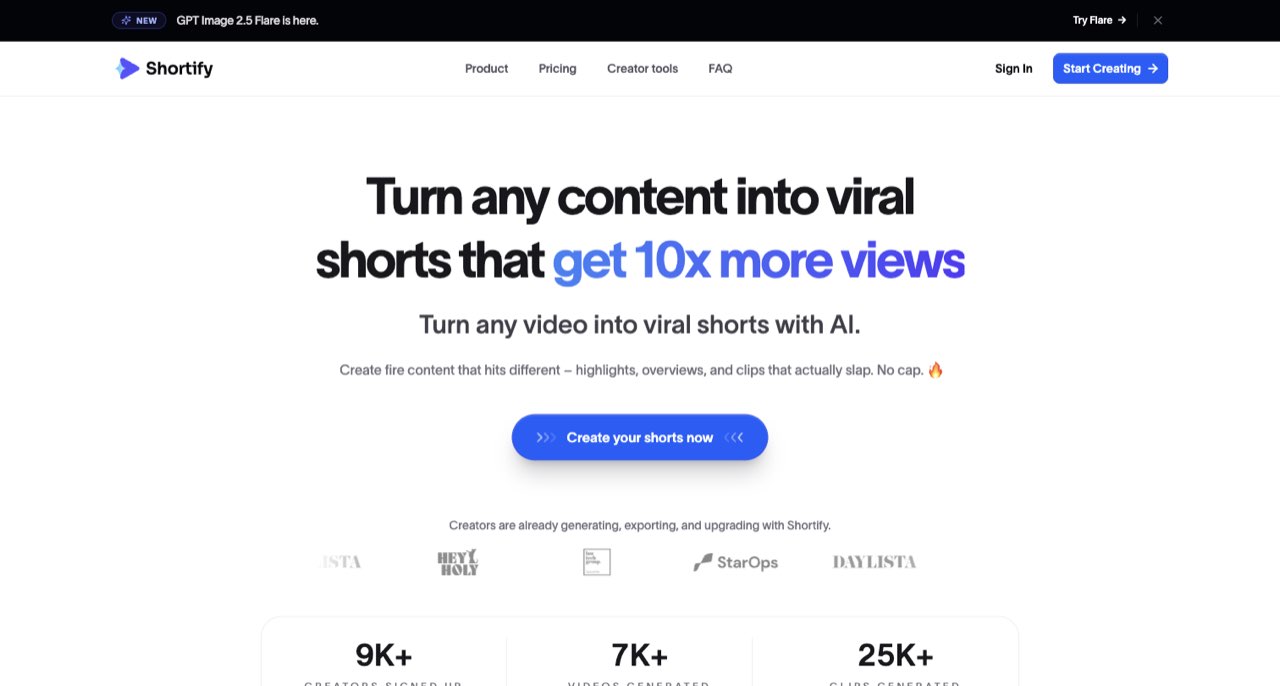
This article concerns the video-creation product at shortify.now. Other products use the Shortify name, so their pricing, policies and app-store descriptions should not be combined. We reviewed the public website, billing controls, changelog and policies, rather than purchasing a plan or generating a paid video.
A short made from an interview and a short generated from a prompt can end up in the same social feed, but they begin with different production problems. One needs careful selection and editing of existing speech. The other needs a reliable script, suitable visuals and narration. Shortify.now offers both paths, which makes choosing the right workflow more important than choosing a visual preset.
This article concerns the video-creation product at shortify.now. Other products use the Shortify name, so their pricing, policies and app-store descriptions should not be combined. We reviewed the public website, billing controls, changelog and policies, rather than purchasing a plan or generating a paid video. [1]
Choose between clipping and generation first
The product presents long-video clipping alongside prompt, PDF and webpage-to-video tools. It also lists browser utilities for tasks such as captions and resizing. Those options can support different jobs; a successful result in one does not establish the quality or privacy of every other mode. [1]
If the value is already present in your own recorded explanation, start with clipping. Preserve the speaker's meaning, give the moment enough context and remove any repeated introduction. If you are beginning with a source document, write a focused narrative before judging the generated imagery.
A visual style should follow that decision. A playful illustration treatment may suit a light explanation but interfere with a product demonstration that depends on exact details. Define what the audience needs to see rather than choosing a generator because its example looks entertaining.
The monthly plan comparison
We confirmed Monthly was selected and read the cards visually. The table separates the free one-time allowance from recurring credits and identifies the main export distinction. Annual mode displays a different commitment, so check the billing switch before comparing prices. [2]
| Plan | Monthly price shown | Credits shown | Export distinction |
|---|---|---|---|
| Free | US$0 | 30 once | Watermark listed |
| Starter | US$19/month | 150/month | Clean 1080p listed |
| Creator | US$29/month | 600/month | Includes Starter features |
| Pro | US$49/month | 1,000/month | Includes Creator features |
The plan comparison also labels API access as coming soon. We would not choose a plan for an unattended API workflow on that basis. Confirm the actual export, branding and delivery settings needed for your job before paying. [2]
A credit pool does not promise every advertised output at once
The plan cards show estimates for projects, clips and generated videos alongside a shared credit allowance. Treat those headline quantities as examples of possible usage, rather than separate buckets you can necessarily exhaust together. A production schedule mixing clips and generated scenes needs to be checked against the actual meter. [2]
For a weekly creator, begin with the deliverables: perhaps two edited clips and one original explanation. Inspect the cost of each intended action in the product. Then estimate the schedule using those observed charges, including any higher-cost model or additional version.
This also helps compare a generator with a conventional editor. If your short needs only a trim, a caption correction and a crop, a more elaborate generation workflow may add work. If the missing ingredient is a new visual explanation, that additional processing may serve a clear purpose.
Recent releases are more useful than an undated feature badge
The changelog records an October 6, 2026 update to AI Shorts and an earlier rollout of YouTube publishing and TikTok connection options. It also documents importing SRT files into the browser caption tool. These entries identify released work; they do not establish that every integration, watermark condition or plan entitlement is identical. [3]
When building a workflow around publishing, test the exact destination you intend to use. A product may offer account connection, downloading and direct posting as separate actions. You should know which of those actions is available before promising a client a fully automated schedule.
Keep the approval stage visible. The convenience of publishing from an editor should not make an unreviewed script, mistaken caption or misleading generated image easier to distribute.
Local caption tools and hosted AI projects have different privacy boundaries
The privacy policy says the free automatic caption tool processes the selected video, extracted audio and captions locally in the browser. It separately describes provider-based processing for hosted AI features, along with connected-account information. That local caption statement should not be generalized to every video-generation workflow. [4]
This distinction is useful when handling client material. First identify the specific tool and action. Then establish whether it stays in the browser, uploads a source, sends text to a model provider or connects a publishing account.
Use public or non-confidential material for the first evaluation. Add voice cloning or client-account connections only when the basic creation and export workflow has proved useful. These optional features introduce additional data and permission questions without being necessary to assess an ordinary short.
Rights and file retention need a handover plan
The terms say users retain rights in inputs and own outputs subject to AI and third-party rights provisions. They also require the user to hold necessary permissions and review generated content. The storage section allows retention limits and removal of files, so the service should not be treated as your only copy of a completed project. [5]
Keep the source, approved script, caption file where available and final export in a project folder. If generated narration or imagery is part of the deliverable, keep enough context to understand how it was produced and what was approved.
A platform's output-ownership clause does not establish exclusive rights in every generated result or clear a borrowed photograph, voice or trademark. Match the assets and permissions to the intended use before the video leaves your review process.
A better first test than generating a month's content
- Pick one short from your own recording or one tightly scoped document-based idea.
- Confirm the intended plan, credit allowance and watermark condition.
- Check the opening, meaning, caption names and final frame before export.
- Watch the actual downloaded file on a phone.
- Inspect the observed charge and decide whether the full weekly schedule still makes sense.
Shortify.now is worth shortlisting when its mix of clipping and generation serves a defined publishing schedule. Keep those modes distinct, treat one-time credits as a finite trial budget and verify the exact export route. Our Riverside and Woven Video guides cover adjacent choices when recording quality or more detailed editing control is the main problem.
For recording a clean podcast source, read our Riverside guide. ↗
For editing and repurposing short videos, read our Woven Video guide. ↗
How we assessed this tool
Official product, documentation and policy research; no account-based or paid-output benchmark.
Questions & answers
Does the free allowance refill every month?
The pricing card labels its 30 credits as one-time. Do not budget them as a recurring monthly refill.
Can I assume every Shortify.now tool processes locally?
No. The policy's local-processing statement applies to the browser caption tool. Hosted generation and connected publishing have separate data flows.
What is the best first export test?
Finish one small job using your intended plan, correct captions and meaning, then watch the downloaded file on a phone and inspect the charge.
Sources & check dates
- 1. Shortify.now product overview ↗ · Checked 2026-10-26
- 2. Monthly pricing controls and plan limits ↗ · Checked 2026-10-26
- 3. Product changelog and released integrations ↗ · Checked 2026-10-26
- 4. Shortify.now privacy policy ↗ · Checked 2026-10-26
- 5. Shortify.now terms and storage limits ↗ · Checked 2026-10-26
Related reading & tools
 article
Woven Video Review: Mac Editing, Pricing and AI Credits
Woven Video combines chat edits with a Mac timeline. Understand the $39 monthly plan, card-required trial and separate AI credit allowance.
Read more ↗ article
Riverside Review for Creators Recording Remote Interviews
Understand Riverside's local recording workflow, separate tracks and editing features, plus the upload checks and plan limits to consider before an interview.
Read more ↗