CREATOR TASK

AI Animation and Game Asset Tools

Compare AI tools for character animation and game assets. Start with the files your project needs, then test visual consistency, loop timing and usage rights before generating a larger action set.

Tools for this workflow

1 listed tool. Read each profile for its exact role, pricing and limitations.

All creator tasks ↗
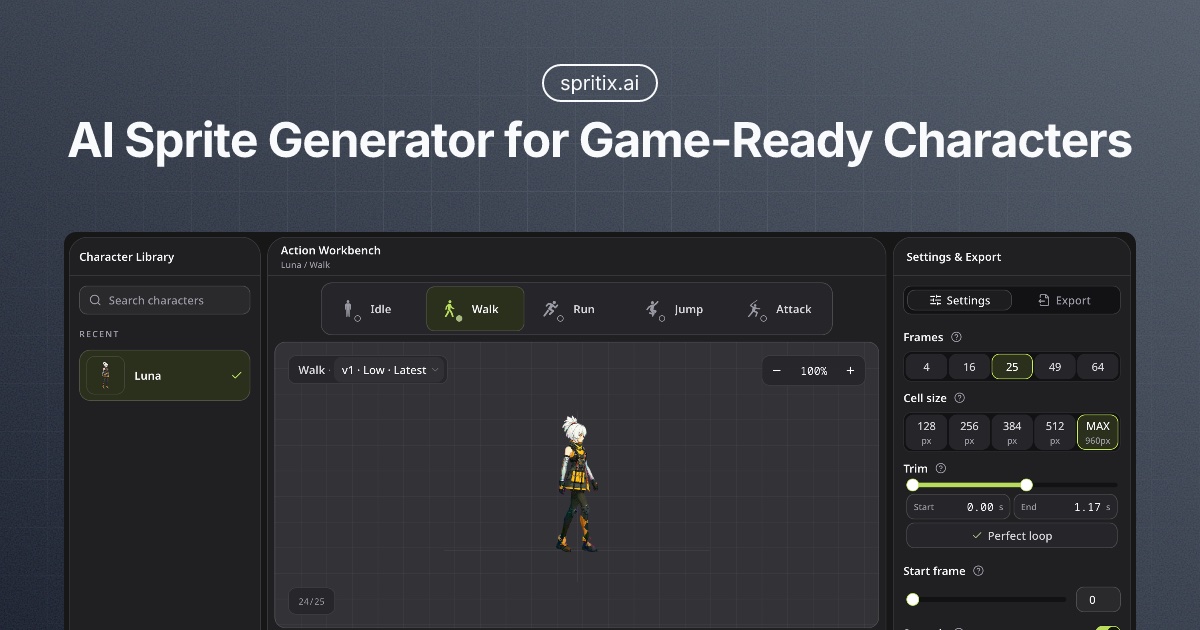
Official Spritix promotional artwork showing its character-action workspace and sprite export controls. Image credit: Spritix.
Source-linked

Spritix

Create character animations from a reference image or prompt. Check Spritix credit costs, free download limits, loop controls and sprite-sheet exports.

PricingFree: 20 monthly credits valid for 30 days and download unlocks for two generations per month. Monthly Starter is $12 for 500 credits, Pro $29 for 1,500 and Max $69 for 4,500. A separate 100-credit pack is $5; larger packs require Pro or Max. Preparation costs 1 credit; currently available Low and Mid actions cost 5 and 20 credits. Plan features and credit expiry differ; recheck before purchase.

Related guide ↗
Fit & limits

Useful for: Indie game creators exploring a small reusable action set from an original or properly licensed character reference.

Check first: No generated animation or game-engine import was tested. New generation attempts consume credits. Browser-based loop edits do not use generation credits, but plan features and download limits still apply. The public pages do not establish every downstream AI-processing or asset-retention detail. The provider’s non-ownership statement does not supply rights to an uploaded third-party character.

Define the deliverable before choosing a tool

A preview animation and an asset ready for a game project solve different problems. Decide whether you need an animated preview, separate frames, a sprite sheet, or data describing frame positions. Then inspect what the listed tool actually exports. A recognizable character in one sample does not prove that every action will stay consistent.

Run one small, representative test

  1. Start with an original or properly licensed character reference. Check your right to upload it and the terms for generated outputs.
  2. Choose one action that matters to your project. Keep the reference, settings and export so you can repeat the comparison.
  3. Inspect the full loop for changes in the character, rough transitions, unwanted backgrounds and inconsistent frame sizes.
  4. Import a sample into your actual project. Check dimensions, frame order, timing, transparency and any required atlas data.
  5. Confirm which downloads are included in the current plan before generating a complete action set. Keep a separate copy of the usable outputs.
These are editorial selection checks, not measured product benchmarks. The listed products may cover different parts of the workflow. Read each profile for its source-backed features, plan boundaries and unverified details.

Workflows & buying decisions

Use a practical guide or detailed comparison to check the next step.

These products may cover different stages of the workflow. A listing does not mean a tool replaces the entire process. Compare two tools before choosing.