What does Flexnote do?
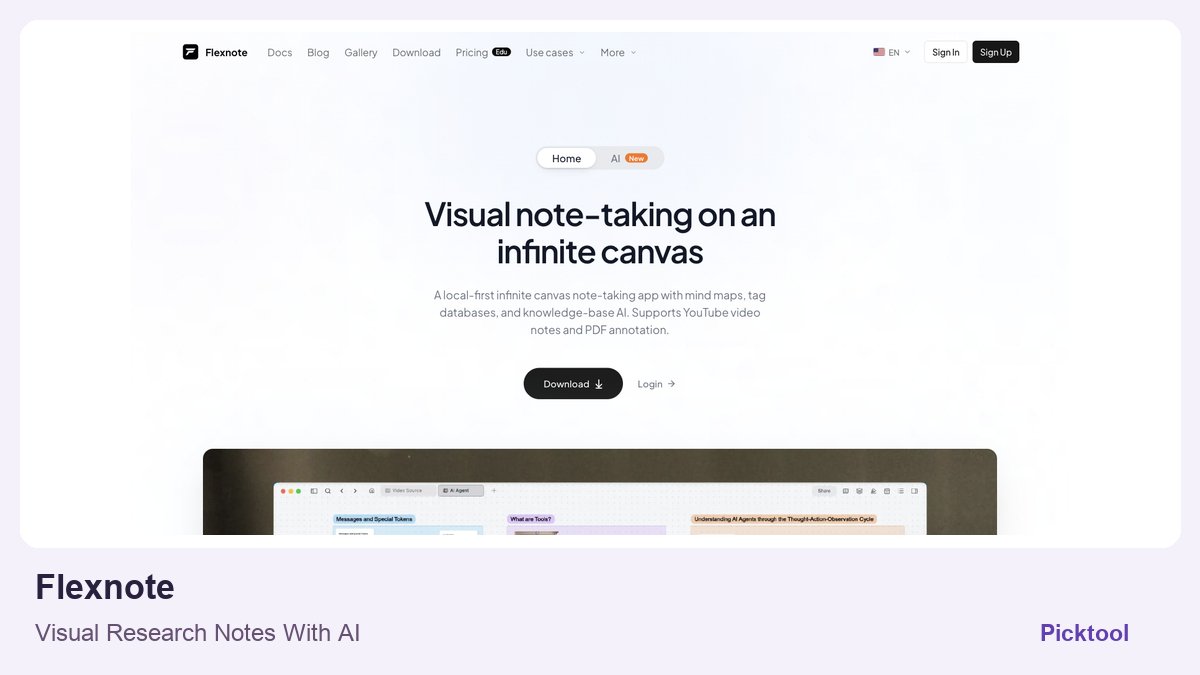
Flexnote is a Windows and macOS research notebook that places linked cards, PDF highlights and video timestamps on an infinite canvas. It suits creators who think spatially before writing. Basic notebooks are stored locally, but optional AI, OCR and Smart Index requests can send the required material to Alibaba Cloud DashScope. The free plan has three whiteboards and 100 cards; synchronization and AI allowances have separate limits.
Research becomes hard to reuse when the quotation is in a PDF, the example is halfway through a video and the reason you saved either is in a separate note. Flexnote puts those pieces on a visual board, where a question, its evidence and a possible explanation can sit together. For a video essay or course outline, the useful outcome is being able to return to the exact source while the script is changing.
For a video essay, one board could hold a question, three competing explanations and the source material supporting each. Keep direct quotations visibly separate from your own summary. The canvas can make relationships easier to inspect, but a convincing arrangement of cards is not evidence by itself. You still need to open the original and check context.
Build a source trail you can still follow later
The provider describes PDF highlights becoming reference cards and timestamped notes linking back to videos. That is a useful workflow for course creators combining written references with demonstrations. Place a claim, its source and the intended chapter near one another, then draft your explanation only after the evidence is clear.
The homepage also advertises Markdown and bidirectional linking, along with import integrations for existing knowledge collections. Before moving an established archive, test a small representative set. Check whether links, annotations, attachments and exports retain enough context to be usable outside the canvas. We have not tested import fidelity or migration of a large collection.
The AI layer should be evaluated as retrieval over your material, not as proof that the material is true. Ask a question whose answer you already know is in one imported document, then check whether you can identify the supporting passage. Keep your own interpretation distinct from a quotation. A knowledge assistant can make a source easier to retrieve while still summarizing it incompletely.
The free notebook and the AI allowance are different limits
The observed free tier provides three whiteboards and 100 cards, basic canvas features, local storage, basic export and one device. That is a reasonable way to assess the working style. It should not be presented as unlimited research storage or full multi-device synchronization. A creator who stores one card per quotation may reach the card ceiling sooner than expected.
The pricing page listed Pro at $29 per quarter or $49 per year, with a separate lifetime option. It also displayed promotional and education prices. We are not presenting those offers as Picktool-negotiated discounts or assuming their duration. Check the exact purchase terms and renewal basis on the current provider page.
Card limits are easy to underestimate. A research board with seventy sources and two cards per source would contain 140 cards before you add the outline or task notes. That is a planning illustration, not a claimed Flexnote project we built, but it shows why the 100-card free ceiling matters. Smart Index points are a different quota; buying indexing capacity does not redefine the free notebook limit.
Paid plans listed 3,000 Smart Index points, and additional one-time packs were advertised. The explanation connects indexing to note text and text in images for semantic search and AI retrieval. Larger documents and complex images can consume the allowance differently, so a provider example estimating a number of notes should not be treated as a guaranteed capacity.
The pricing FAQ says keyword search and AI chat continue after the indexing allowance is exhausted, but long documents and PDFs may give chat less material to draw on. That makes the budget question more specific than asking whether AI is included. Evaluate whether the documents you actually research become retrievable in the way you need.
What local-first means when you enable AI
The current privacy policy makes the AI boundary more specific: Smart Index, OCR and AI requests can send the text or image needed for the request to Alibaba Cloud DashScope. The policy says Flexnote does not train its own models on your notes, while DashScope processes requests under its own terms. That is a narrower statement than saying no provider ever receives or uses the material. Optional sync introduces a separate storage service again.
The official desktop availability is Windows and macOS. We did not verify a native phone app, test offline AI inference or measure the advertised large-canvas performance. If mobile capture and effortless team co-editing are essential, confirm those requirements directly rather than assuming them from the phrase knowledge base.
Try one small research brief: a PDF, a useful video timestamp, several connected notes and an exported outline. Ask whether the board helps you find the exact source when revising a script a week later. That is a stronger evaluation than filling a canvas with attractive cards. Flexnote is most compelling when spatial organization supports an existing research habit, not when maintaining the system becomes another project.
What you can do with it
- Infinite canvas and mind maps
- PDF highlights linked to reference cards
- Timestamped video annotations
- Markdown and bidirectional links
- Optional WebDAV, S3 and OneDrive sync
- Knowledge-base AI and Smart Index allowance
Features are based on the stated evidence level. Confirm current availability and plan limits with the official provider.
Understand the pricing first.
This is a plan description, not a guaranteed numeric price. Check allowances, renewal terms, and exports before paying.
What to check before choosing
The free plan is capped and single-device. Optional AI, OCR and Smart Index requests can send required text/images to Alibaba Cloud DashScope. Local notebook storage, cloud sync and AI processing have different data boundaries.
Our test method and limits
Public product, pricing and relevant policy/documentation researched on 28 October 2026; editorial narrative revised the same day. Worked budgets and suggested evaluation methods are explanations, not generated-output tests. No account purchase, installation or independent performance benchmark was performed.
Does it fit better than your other option?
Questions before you choose
Can I keep the basic notebook local without enabling cloud sync?
The provider describes device-local storage by default and optional synchronization. That statement applies to notebook storage. Turning on an AI feature creates a separate processing request, so check those settings independently.
Do Smart Index points expire or guarantee a certain number of PDFs?
The pricing explanation describes the allowance as non-expiring points, with estimates that vary by content length and image complexity. A point balance is not a guaranteed number of complete PDFs or unlimited semantic retrieval.
Sources & check dates
- 1. Official canvas, annotation and platform overview ↗ · Checked 2026-10-28
- 2. Official free limits, plans and Smart Index packs ↗ · Checked 2026-10-28
- 3. Official local storage, sync and AI processing policy ↗ · Checked 2026-10-28
Other tools for a similar task
Compare options ↗ahaboard
Adult learners and educators exploring explanations visually before preparing their own lesson materials
Elmo
Creator businesses and agencies monitoring whether specific buyer questions surface their brand or competitors
OpenSEO
Technical creators and small content businesses wanting transparent search research rather than another fixed-price suite
Related by creator task. These are options to investigate, not measured winners.