What does PublishBuddy do?
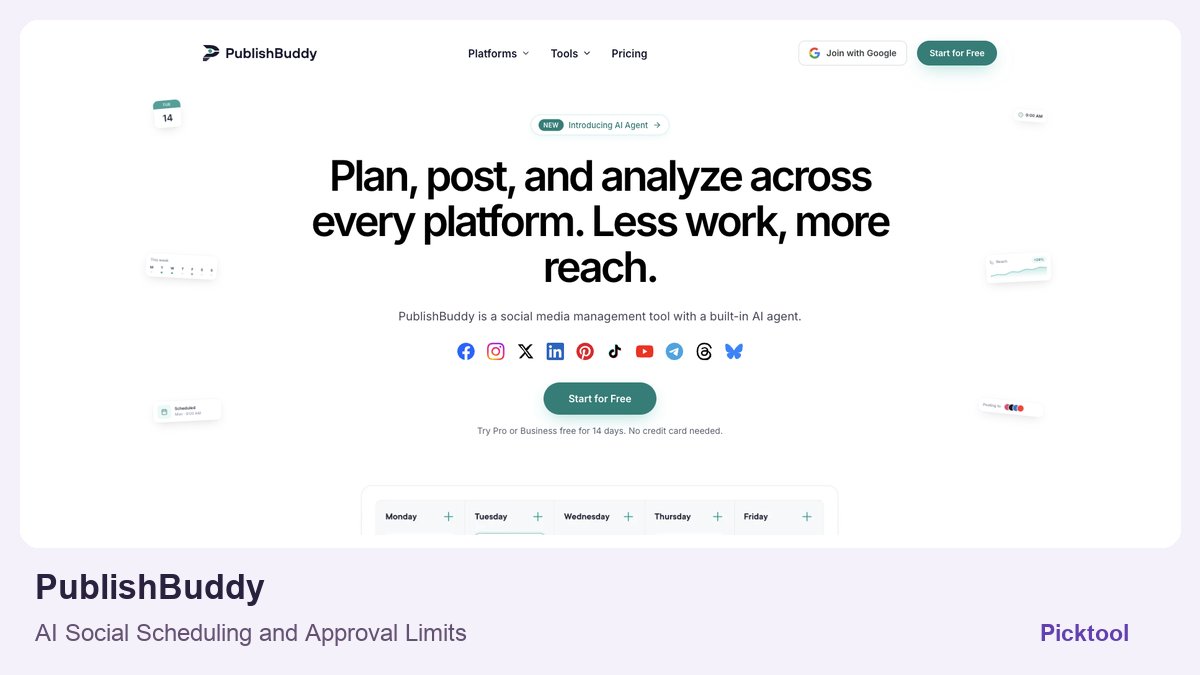
PublishBuddy combines a social calendar, publishing queues and analytics with paid AI writing and an account-aware agent. It suits creators managing several profiles. The agent can prepare drafts and arrange posts, but its documentation says publishing and scheduling require confirmation; it does not work as an unattended autonomous marketer. Free scheduling, AI credits and mandatory team approval are separate plan decisions.
Finishing a piece of content does not finish the distribution work. A launch still needs the right caption, media crop, account and time for each network. PublishBuddy brings that coordination into a shared calendar, then adds an AI assistant and agent around the connected workspace. The attraction is doing less repetitive account switching while keeping a clear view of what is actually going to be published.
Network support does not mean every format or interaction is identical. Check the exact profile type, permissions and media format you need. A personal profile, company page, short video and story can have different restrictions. We did not connect a social account or attempt an actual publication, so this profile documents the advertised workflow rather than proven delivery reliability.
A writing assistant and an action-taking agent do different work
The product describes its AI Assistant as help with drafting and refining content, while its AI Agent can create and schedule posts through chat. That distinction matters. A generated caption is text you can review; a scheduled post is an action that can become public later. Use clear instructions about the audience, destination account and whether the output should remain a draft.
A sensible creator workflow begins with one approved idea, then develops platform-specific versions. Keep the actual offer, dates and links consistent while adapting the opening and media shape. Do not let automation turn a private client detail or an unfinished launch into a scheduled announcement. This is a suggested operating method, not a claim that we exercised the agent.
The dedicated AI Agent page adds an important boundary to the homepage description: it asks before publishing or scheduling, and image generation shows a priced confirmation. It also lists actions the agent cannot perform, including approving posts, editing or deleting already-published posts, replying to comments, managing account connections or running on its own in the background. A future publishing time on a confirmed post is not the same as an autonomous agent inventing and releasing tomorrow’s content.
For announcements triggered by software releases, compare the more specialized DevRelay workflow. ↗
Choose the plan around your real publishing queue
On the research date, the free plan listed three social accounts, one workspace, owner-only access, 20 drafts per workspace and ten scheduled posts per profile. The detailed comparison describes scheduled posts as those waiting or queued. That is different from a clearly documented monthly publishing quota; avoid choosing a plan on the wrong interpretation.
Free also lists previews, queue and calendar scheduling, ideas and seven-day analytics. The pricing matrix places AI Assist, AI Agent, developer integrations and unlimited scheduling within paid plans. Therefore a permanent free account and a time-limited paid-plan trial are different offers, even though both can be reached from a Start Free button.
Monthly billing was shown at $29 for Pro with ten social accounts and 500 AI credits per month, and $49 for Business with twenty accounts and 2,500 AI credits. Extra accounts and some seats can add charges. Annual billing uses a different commitment and advertised effective rate; this profile uses the explicit monthly prices rather than mixing the two.
The current credit explanation is more useful than the headline allowance. Chatting about the workspace, saving drafts and scheduling are listed as free operations; caption, idea and hashtag writing tools use one credit, and generated images have a model-specific price. A creator requesting twelve separate caption-writing operations would therefore budget twelve credits at that stated rate, rather than assuming each scheduling action consumes another credit. That is a worked allowance example, not an account usage result.
The observed 14-day Pro or Business trial does not require a credit card and includes a separate trial AI allowance. Check what each generation or agent operation consumes before planning a month around the headline credit number. A credit is not necessarily one finished image, post or entire campaign.
The approval process matters more than the agent label
PublishBuddy advertises roles, per-account access and multiple workspaces. Required approval for chosen team members is specifically a Business feature. If you are an agency whose client must approve every post, that can be more important than the number of supported networks. Do not assume that inviting a teammate on a cheaper plan automatically enforces an approval gate.
REST API and MCP access are advertised on Pro and Business. They can connect publishing workflows to code or an AI client, but they also create another path for actions on social accounts. Keep credentials scoped, review destinations and establish a draft-first routine before considering automatic scheduling.
Read our Tabloy AI guide for the asset-production stage that comes before distribution. ↗
Shortlist PublishBuddy when your bottleneck is coordinating several channels and you want AI within the same workspace. A single-network creator may find the free calendar sufficient; a team that needs mandatory review should evaluate Business. Before paying, test a harmless draft, check each connected profile, inspect its native preview and verify how a failed scheduled post is reported. We have not tested those account-level behaviours.
What you can do with it
- Multi-network scheduling calendar
- Queue scheduling and post previews
- Paid caption assistance and AI agent
- CSV bulk scheduling on paid plans
- Analytics with plan-dependent history
- REST API and MCP on Pro and Business
Features are based on the stated evidence level. Confirm current availability and plan limits with the official provider.
Understand the pricing first.
This is a plan description, not a guaranteed numeric price. Check allowances, renewal terms, and exports before paying.
What to check before choosing
Paid AI credits and network permissions apply. The documented agent asks before publishing/scheduling, cannot run unattended and cannot approve posts or edit/delete live posts. Mandatory team approvals are Business features.
Our test method and limits
Public product, pricing and relevant policy/documentation researched on 28 October 2026; editorial narrative revised the same day. Worked budgets and suggested evaluation methods are explanations, not generated-output tests. No account purchase, installation or independent performance benchmark was performed.
Does it fit better than your other option?
Questions before you choose
Can the AI Agent publish posts without my confirmation?
Its official agent page says it asks before publishing or scheduling. Mandatory team approvals on Business still apply, so an agent does not give a team member authority to bypass those controls.
Can I leave the agent to research and create content automatically every day?
The documented agent does not run unattended or search the open web. It acts when asked and can read a page link supplied in the conversation. Queue scheduling is a distinct feature for content already prepared and confirmed.
Sources & check dates
- 1. Official supported networks and workflows ↗ · Checked 2026-10-28
- 2. Official plan limits and feature matrix ↗ · Checked 2026-10-28
- 3. Official agent actions, confirmations, exclusions and credit costs ↗ · Checked 2026-10-28
Other tools for a similar task
Compare options ↗Elmo
Creator businesses and agencies monitoring whether specific buyer questions surface their brand or competitors
OpenSEO
Technical creators and small content businesses wanting transparent search research rather than another fixed-price suite
Ricalco
Ecommerce creators, localization agencies and brands adapting finished product graphics for additional markets
Related by creator task. These are options to investigate, not measured winners.