What does ScribeCrate Live do?
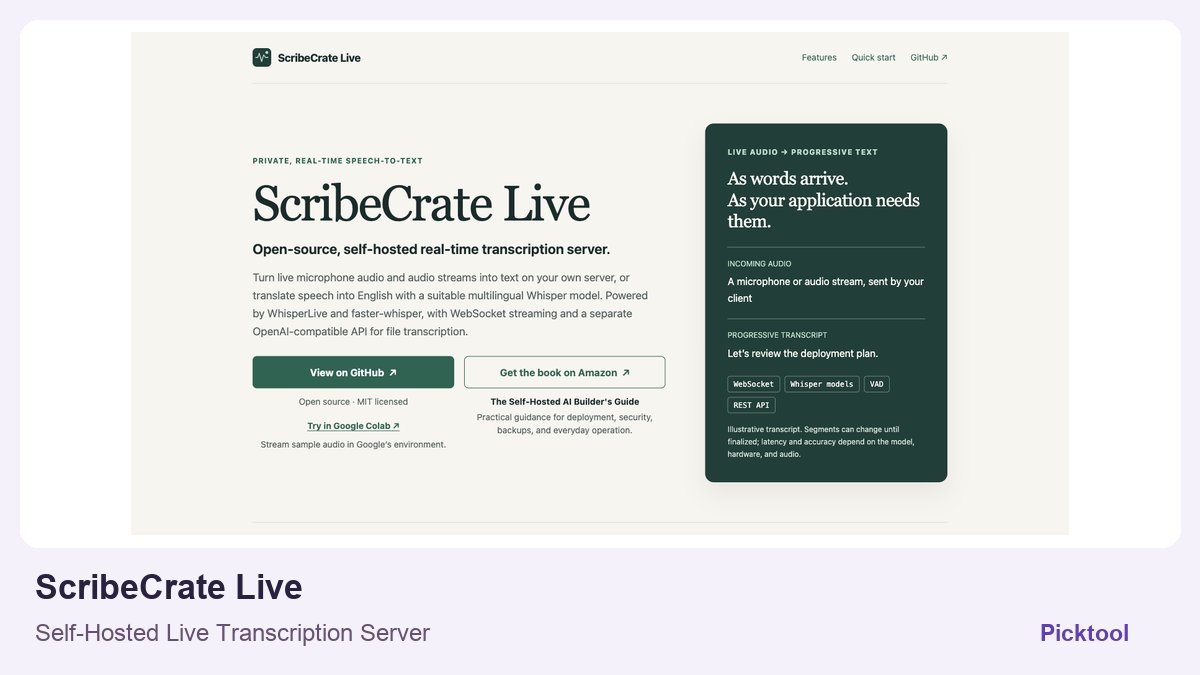
ScribeCrate Live is an open-source speech-to-text server for streaming audio over WebSocket, with a separate endpoint for uploaded recordings. Technical creators can use it behind live captions or an interview app. You provide the audio client and operate the hardware; the server is not a complete meeting recorder. Accuracy, delay and offline capability depend on the selected model and deployment.
A creator who wants control over transcription faces a different problem from someone choosing a meeting-notes app. The recording interface, audio capture, transcription engine and archive are separate parts of a system. ScribeCrate Live supplies the speech-to-text service in that chain. It is relevant if you are building or integrating an application and want the processing to run on infrastructure you operate.
The project states that it uses WhisperLive and faster-whisper, with MIT-licensed project code and separate upstream acknowledgements. This gives a technical team source access and deployment control. It does not remove hardware requirements, operational work or the need to review the licences of models and dependencies used in a particular configuration.
Follow the audio from the client to the transcript
The documented live path uses WebSocket streaming from a compatible client. The client captures microphone audio or another stream and receives text as processing progresses. The separate REST service offers an OpenAI-compatible file-transcription endpoint. Calling that endpoint with a recording is not the same as connecting a live microphone, and the project does not claim to replace every OpenAI audio capability.
Before selecting it, decide whether your actual need is live captions during a conversation or a transcript after the recording ends. That choice affects the client, acceptable delay and recovery workflow. For live events, keep the original audio independently so a temporary transcription problem does not become a lost recording.
For a live interview, trace the full path before choosing a model: microphone capture in the client, network transport to the server, recognition, text returned to the interface and independent recording storage. An accurate server transcript is not enough if the client drops audio or the interface hides corrections. The project’s WebSocket service and file API should be evaluated in the input flow you intend to ship.
Choose a model for the conversation you actually record
The official site supports CPU configurations on amd64 and arm64, plus a separate NVIDIA CUDA image for suitable amd64 hardware. Larger Whisper models can require much more memory and processing time. It would be misleading to promise a fixed transcription delay without stating the model, machine, language and audio conditions.
For a useful trial, prepare a short recording containing ordinary speech, a specialist term, pauses and a brief overlap between speakers. Record the model, hardware, language settings and actual output. Assess important-word accuracy and whether the progressive text arrives quickly enough for your use case. We did not run that benchmark and therefore do not publish an accuracy score or speed claim.
Create a small reference transcript by hand for a recording you have permission to use. Include the names, technical terms and interruptions that matter to your work, then compare the recognized text with that reference. Evaluate important-word errors and the timing of updates separately. This is a proposed test design, not a measured ScribeCrate result, and it avoids treating a clean demonstration sentence as proof that a difficult interview will work equally well.
Control the deployment as well as the model
Self-hosting means transcription runs on the server you choose. A rented server is still a remote machine; it is not the same as processing entirely on your laptop. The public Colab demonstration is another distinct environment, and the provider explicitly explains that its audio processing occurs in Google’s infrastructure.
The project describes persistent API-key authentication for fresh persistent installations and provides maintained deployment instructions for HTTPS and access from other computers. Follow those current instructions rather than copying an unsecured networking example from a directory. Authentication, network exposure, logs and client permissions determine the real access boundary.
The maintained instructions say to cache the required models and enable local-only operation for offline use. The first model download can require internet access. Persisting that cache avoids downloading the same model after a restart, but it also creates data and storage that someone must manage. Confirm how your deployment backs up configuration and how you will update it safely.
Speech translation is specifically described as translation into English using a suitable multilingual Whisper model. That should not be expanded into a claim of arbitrary language-to-language dubbing or voice generation. Transcription, translation and producing a new spoken voice are different tasks.
Shortlist ScribeCrate Live if you have an application to integrate and a person responsible for deployment, capacity and access control. Software licensing may be free while the machine, GPU, electricity, hosting and maintenance are not. A nontechnical creator who only needs a meeting summary may be better served by a packaged product. The practical advantage here is control of a narrow speech-to-text service, provided you can operate it responsibly.
What you can do with it
- Progressive transcription over WebSocket
- Separate file-transcription REST endpoint
- Whisper model selection and voice activity detection
- CPU and NVIDIA GPU deployment options
- Persistent model caching
- Documented authentication and access controls
Features are based on the stated evidence level. Confirm current availability and plan limits with the official provider.
Understand the pricing first.
This is a plan description, not a guaranteed numeric price. Check allowances, renewal terms, and exports before paying.
What to check before choosing
Requires deployment and an audio client. Latency depends on hardware, model and audio. Offline use requires cached models and configuration. The Colab demonstration processes audio in Google’s environment. Full OpenAI audio API compatibility is not claimed.
Our test method and limits
Public product, pricing and relevant policy/documentation researched on 28 October 2026; editorial narrative revised the same day. Worked budgets and suggested evaluation methods are explanations, not generated-output tests. No account purchase, installation or independent performance benchmark was performed.
Does it fit better than your other option?
Questions before you choose
Does self-hosted mean my recording never leaves my laptop?
Only if your chosen deployment and client keep processing there. A rented server is a remote machine, and the project says its Google Colab demonstration processes submitted audio in Google’s environment.
Can I translate any spoken language into any other language?
The documented translation path is speech into English using a suitable multilingual Whisper model. It does not establish arbitrary language-to-language translation, dubbing or generated speech.
Sources & check dates
- 1. Official architecture, quick start and limitations ↗ · Checked 2026-10-28
- 2. Official source and maintained setup instructions ↗ · Checked 2026-10-28
Other tools for a similar task
Compare options ↗ahaboard
Adult learners and educators exploring explanations visually before preparing their own lesson materials
Elmo
Creator businesses and agencies monitoring whether specific buyer questions surface their brand or competitors
OpenSEO
Technical creators and small content businesses wanting transparent search research rather than another fixed-price suite
Related by creator task. These are options to investigate, not measured winners.