
To improve character consistency across AI video shots, keep an approved reference sheet, control what changes between shots and inspect continuity before extending the sequence. MOVO describes project memory and reference assets, but those features do not guarantee an identical character in every generated frame.
A sequence can contain attractive individual shots and still fail as a story because the central character keeps changing. The problem is easier to manage when you define continuity before generation: which details must remain stable, which changes are intentional, and what evidence will support the next shot. A longer prompt is not a substitute for that production decision.
MOVO's FAQ describes project memory for characters, assets and visual style, along with uploaded references and a choice of supported models. Its user guide describes reviewing direction and scripts before approving credit-consuming work. Those are useful controls to evaluate, but this guide does not report a generation test or promise that they eliminate visual drift. It proposes a shot-level acceptance process you can apply to an authorized sample.
Read the MOVO review for its broader workflow, credits and evidence limitations. ↗
Create a reference sheet that can be checked
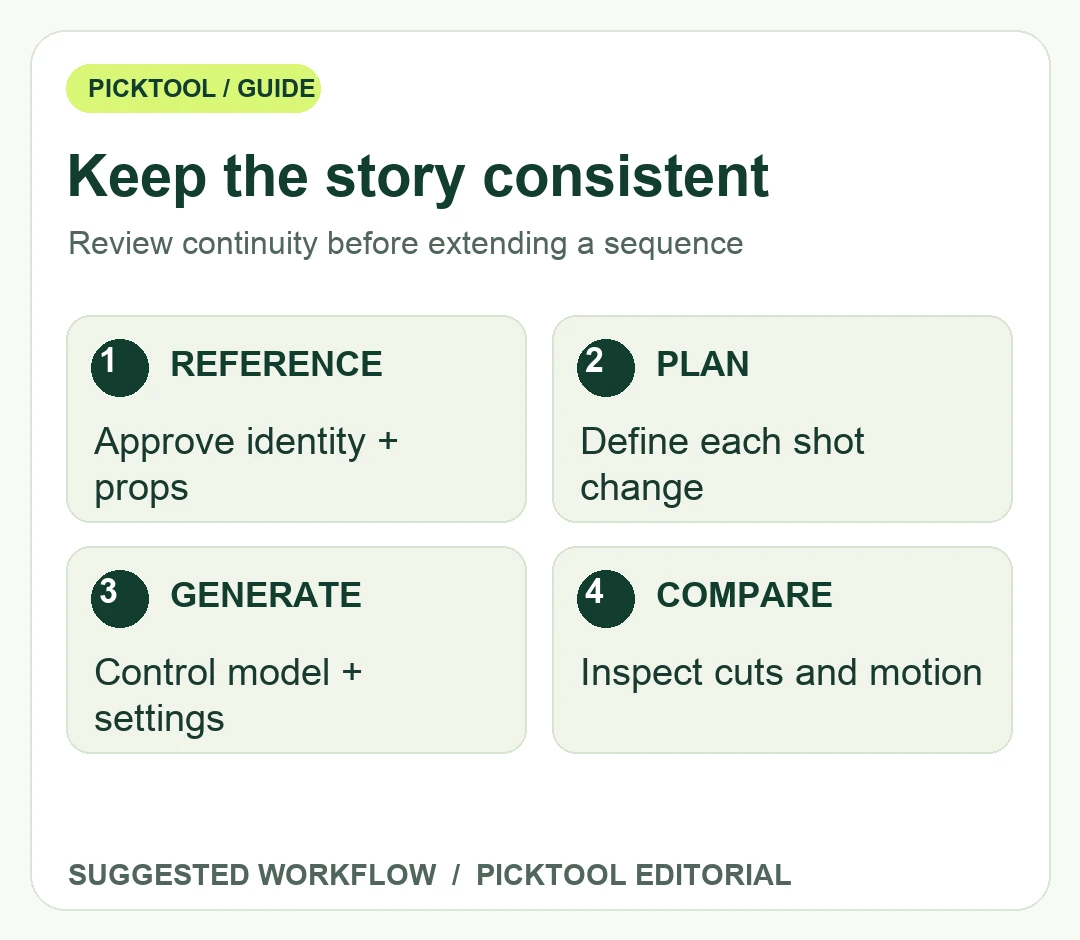
Start with a short character description and a small set of approved reference assets. Include the features relevant to the story, such as silhouette, clothing, key colors and a distinctive prop. Avoid adding a new descriptive flourish to every shot unless you want the appearance to change. When working with a real person or a client's material, confirm that the references are authorized for the intended processing and use.
For a hypothetical three-shot product story, a character might enter a room, place a blue notebook on a desk and point to an item inside it. The notebook's color, the character's outfit and the desk arrangement become continuity anchors. Write them down before generating the first shot. This example is an original planning exercise, not a MOVO output or a claim about a built-in notebook-tracking feature.
Keep the approved references in a stable project folder. Name the chosen version clearly and separate it from rejected experiments. If two collaborators feed different reference images into different shots, a later prompt may not explain why the character changes. A shared reference sheet makes disagreements visible before they turn into another paid generation cycle.
Change one production decision at a time
Break the sequence into shots with a clear start state and end state. Record framing, action, location, continuity anchors and the one intentional change. If the character moves from daylight outdoors to a dim interior, accept that lighting may change the appearance while still checking the identity features that should remain. A continuity review should distinguish a plausible environmental change from an unintended redesign.
Use the same approved direction for the first small evaluation. If you change the model, reference, aspect ratio and camera instruction simultaneously, you make it harder to identify what helped or harmed consistency. MOVO notes that output options and credit use depend on model and settings. Keep those choices with each sample rather than comparing unrelated clips as if only the prompt changed.
Approve costly generation stages deliberately. Review the current plan or shot proposal before starting another batch, then inspect the generated result before extending it. The user guide's approval stage is a point at which to check both the creative direction and the expected credit use. Do not treat remaining free credits as proof that every model, resolution or revision is available at no charge.
Review continuity across cuts and within each shot
Watch the sequence once without stopping. Ask whether a viewer can follow the action and recognize the character naturally. Then inspect transitions and difficult moments more closely: a turn, a hand crossing the face, a prop changing position or a cut between different camera angles. A single approved still does not establish that the whole moving shot preserves the intended appearance.
Use a compact review sheet with identity, wardrobe, props, spatial arrangement, motion and story meaning. Mark each row approved, needs revision or intentionally changed. Keep a short explanation for revisions. This is more actionable than calling an entire clip inconsistent without identifying which element broke the scene.
Inspect text and logos separately. A character may stay recognizable while a product label changes, and a coherent background can still place an important object on the wrong side of the scene. If exact text or brand elements are essential, plan how they will be reviewed or added in an appropriate editing stage rather than relying on a general consistency claim.
Before handing off, preserve the selected clips, reference sheet, shot instructions, model and settings record, and rejected-version notes that explain a deliberate choice. Check the final export for sound, dimensions and cuts in the destination editor. The goal is a sequence whose continuity has been reviewed, not a folder of isolated generations that someone else must reconcile.
Choose a connected-project tool when its planning and review controls reduce the work you need to manage. Choose a simpler generation-and-edit workflow when you need only one short shot or a tightly controlled manual composite. In either case, judge the actual authorized sample against the same shot brief. Project memory is a capability to evaluate, not an automatic quality guarantee.
Explore video-creation tools by the source material and production control you need. ↗
Sources & check dates
- 1. MOVO official FAQ: project memory, references and model limits ↗ · Checked 2026-10-28
- 2. MOVO official project and generation approval workflow ↗ · Checked 2026-10-28
- 3. MOVO official product scope ↗ · Checked 2026-10-28