Budget a podcast-to-Shorts workflow around source processing, the clips you actually render, and any paid remakes. Cliphi says final clips consume credits, previews and finding more clips are free, and changing then remaking a finished clip costs again.
The cheapest plan is not necessarily the cheapest way to publish a useful set of podcast clips. A workflow that renders every suggestion and then remakes half of them can spend more than one that reviews carefully before exporting. Start with the number of approved clips you need, the work each one requires, and the billing point where a preview becomes a finished file.
Cliphi's current credit guide distinguishes small source-processing charges from final-clip charges. It says previewing and trying looks are free, finding more candidates is free, and remaking a changed finished clip consumes credits again. The guide does not provide a universal numerical rate for every clip length, so this article does not invent a fixed cost per minute. Use the account's displayed estimate and usage history for the numerical part of your own budget.
Read the Cliphi product review before comparing its broader workflow and limits. ↗
Define a deliverable that a credit estimate can describe
For a proposed one-hour interview, the brief might request three vertical clips that each answer a distinct viewer question. That is more useful than asking for as many clips as possible. Record the source time range, intended audience, opening claim, required context and likely duration for each candidate. These are planning fields, not documented Cliphi interface controls.
Build the shortlist before choosing effects. A strong candidate should make sense without the full episode, preserve the guest's meaning and reach a clear payoff. Reject an impressive-sounding fragment if the next sentence reverses it or if the audience needs several minutes of missing context. A vendor's prediction or virality score can be a discovery hint, but it does not establish future reach, retention or revenue.
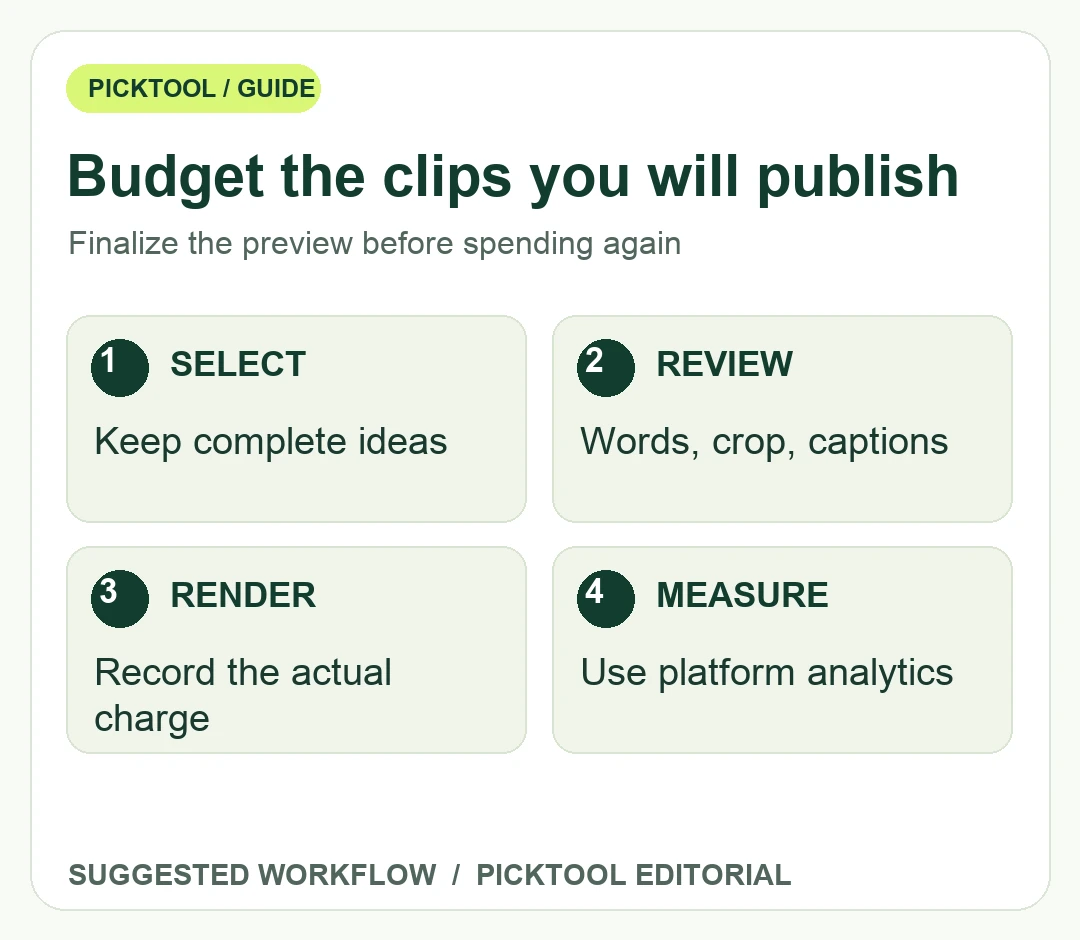
Set a review limit that fits the project. For example, an editor could compare eight candidates, approve three and retain one backup. Those numbers are a hypothetical production choice, not a promise about how many clips a service will produce. The purpose is to prevent an open-ended search from turning every preview into a paid render. If the interview contains only two complete ideas, publish two useful clips rather than forcing a quota.
Use actual account estimates in this suggested worksheet.
| Budget row | What to record |
|---|---|
| Source processing | The charge to analyze the selected source or section. |
| Approved final clips | Displayed estimate for each clip you will keep. |
| Remakes | Additional charged renders after changes. |
| Other costs | Subscription, authorized media and editor time, as applicable. |
Make the budget sensitive to remakes
Use a worksheet with source-processing cost, estimated charge for each selected clip, planned remake allowance and any other required service charge. The basic calculation is processing plus approved renders plus remakes. Enter actual displayed credit estimates rather than a price copied from an old directory. If no estimate is visible, run only an authorized small sample or ask the provider before committing to the batch.
As an illustrative calculation, suppose your account shows four credits for a selected export. Three approved exports would use twelve credits for that stage. If two need another charged render at the same rate, that stage rises to twenty credits. These figures explain the arithmetic only; four credits is not represented as Cliphi's current rate, and source processing or other charges are not included in the example.
Review the expiry and replenishment terms separately from the per-job estimate. Cliphi's pricing page currently says credits never expire and that plan differences concern the monthly credit allowance. Confirm the purchase and cancellation terms shown in your account before relying on a long-running budget. A balance that carries forward can still be spent unnecessarily when the review process repeatedly changes after export.
Use the HiClip export-check review when comparing a different clipping service. ↗
Finish the editorial review while the clip is still a preview
Watch the beginning without the title card. Does the spoken opening establish the question, or does it start with an unexplained pronoun? Then check the ending: it should complete the idea rather than stop just before the useful qualification. Compare both with the original episode. Shortening a quotation should not quietly turn uncertainty into certainty.
Read every caption, including product names, numbers and technical terms. Check framing when speakers change and when someone gestures near the edge of the crop. Keep captions away from the controls and overlays of the intended social platform. Cliphi's help center documents caption, reframing and safe-zone guidance, but the final design still needs inspection on the actual export.
Once the wording, crop, caption style and sound are approved, render the selected version. Download it, inspect the file and record its credit charge alongside the source range and approval. If you need another download of the same finished Cliphi clip, its guide says downloading again does not spend more credits. That differs from changing the clip and producing a new final version.
Compare services using the same approved deliverable rather than headline clip counts. Include editor time, retries, export limits and whether a real watermark-free file is available on the chosen plan. Publish on a schedule your team can support, then assess actual platform analytics after the clips accumulate an appropriate viewing history. The clipping tool chooses and packages candidates; it cannot guarantee audience response.
Compare Shortify.now's separate credit and watermark questions before switching tools. ↗
Sources & check dates
- 1. Cliphi official credit and remake rules ↗ · Checked 2026-10-28
- 2. Cliphi official features and export claims ↗ · Checked 2026-10-28
- 3. Cliphi help: selection, framing and captions ↗ · Checked 2026-10-28