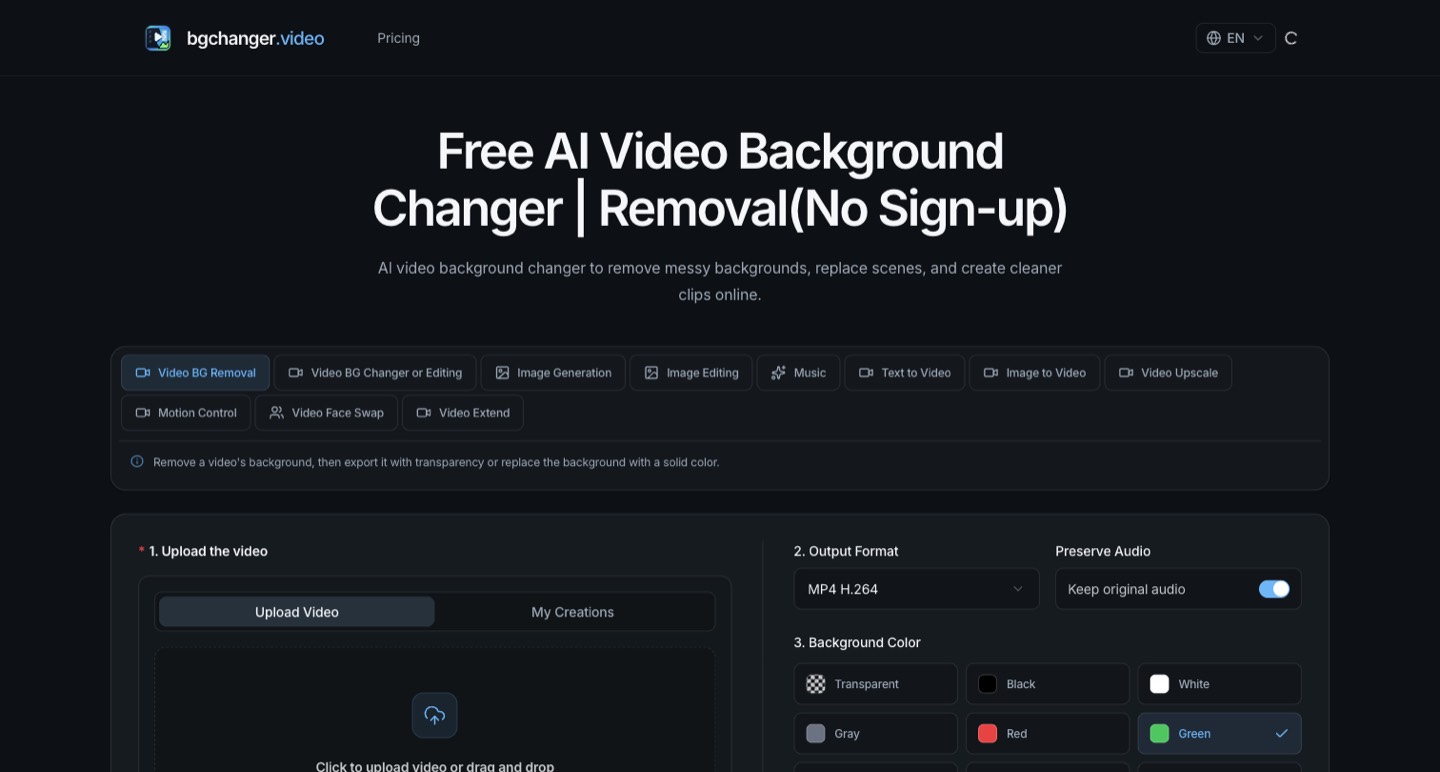
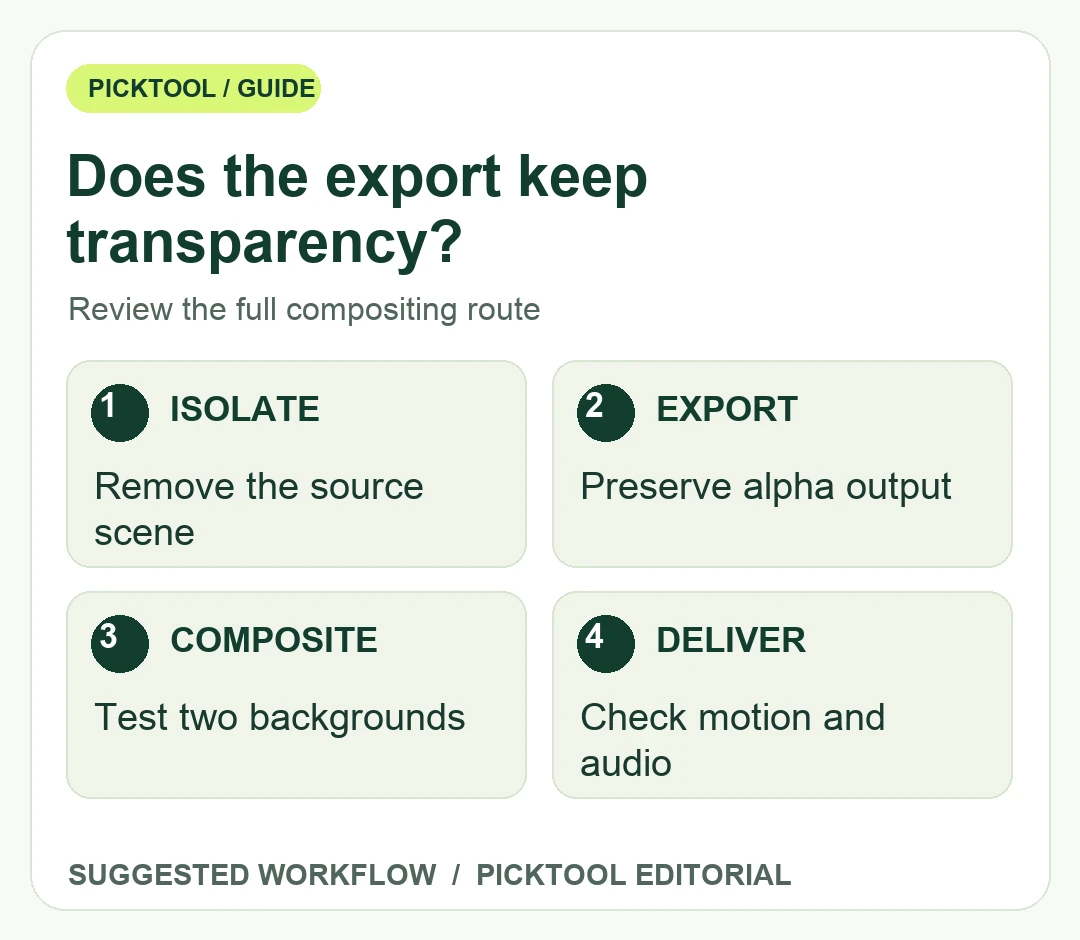
For a reusable transparent video, remove the background and export a format that preserves alpha, then test it over a contrasting background in your actual editor. bgchanger.video documents transparent WebM output; a transparent preview alone does not prove the downloaded file keeps transparency.
Removing a background solves only the first half of a compositing job. The second half is keeping that separation through export, import and final assembly. A checkerboard preview may show an isolated person correctly while the downloaded file plays against a solid background. Before buying processing credits or preparing a client delivery, decide whether you need an editable transparent layer or just a finished clip with a new background.
bgchanger.video's current product page describes both transparent and solid-color output, specifically mentioning transparent WebM for compositing. It also lists other output choices, but that list does not establish alpha support for every format and every destination application. This guide focuses on a repeatable acceptance process. We have not processed footage or measured the service's edge quality for this article.
See the bgchanger.video review for the broader product, pricing and policy questions. ↗
Specify the delivery before isolating the subject
Write down the final destination, required dimensions, frame rate, audio requirement and whether the background must remain replaceable. For a proposed product-demo overlay, the person might need to sit above several different screen recordings. That calls for a retained transparent layer. A social clip with a fixed white background may only need a flattened final export. These deliverables should not be quoted or reviewed as if they were identical.
Ask the editor or client which import format their software accepts for transparency. Test a short, harmless sample in that exact application before processing a long recording. A file extension alone is not a compatibility guarantee: the export settings and the reader both matter. If transparent WebM does not fit the receiving workflow, establish an agreed alternative or render the chosen final background before delivery. Do not keep converting formats at random and assume the original transparency survives.
Use footage that exposes the difficult areas of the actual job. Hair, translucent objects, quick hand movement and a subject with similar colors to the background all deserve a close review. Include a few frames before and after a gesture rather than checking one flattering still. This is a proposed test sample, not a claim that bgchanger.video fails or succeeds on those cases.
Specify what the receiving editor needs.
| Delivery goal | Suggested acceptance check |
|---|---|
| Reusable transparent layer | Import over light and dark backgrounds; confirm alpha survives. |
| Finished replacement background | Review the actual chosen background and subject edge. |
| Clip with original dialogue | Verify sound and synchronization independently. |
Inspect alpha, motion edges and sound separately
After downloading, place the isolated clip above a bright background and then a dark one in the intended editor. A retained alpha layer should reveal those backgrounds where the original scene was removed. If the rectangle stays opaque, investigate the export and import settings before editing further. Do not conclude that black in a standalone player necessarily proves transparency was lost; the compositing test answers the question more directly.
Next, examine the edge while the subject moves. Look for flicker, pieces of the subject disappearing, a visible outline from the original background, and gaps that only appear during a turn. Review at normal playback speed as well as on individual frames. A small edge problem may be acceptable for a brief, small overlay and unacceptable for a full-screen presenter. Set that acceptance threshold before spending time on the full batch.
Check audio independently. The product page offers preservation of the original audio when required, but your final test should confirm that the downloaded clip contains the intended sound and remains synchronized after import. If you plan to use separate audio, name it clearly and preserve a reference version. A clean silhouette is not a complete deliverable when the dialogue has drifted or disappeared.
For a fixed-background output, inspect contrast around the subject and any text added later. A white replacement can reveal different edge issues from a dark or patterned replacement. Choose the final background early enough that the review reflects the actual design. If the client changes it later, run the edge review again rather than assuming the previous approval covers every composite.
Explore editing tools by the work that remains after background removal. ↗
Plan for credits, permissions and a recoverable handoff
The current site offers paid credits and plans, but a homepage label is not a reliable quote for your exact clip length and settings. Inspect the current charge shown before processing. Keep one accepted short sample and its settings, then estimate the batch from that verified workflow. Do not infer unlimited transparent exports from a free headline or treat an annual equivalent as a monthly payment.
Review the current privacy and service terms before uploading unreleased work, people or private interiors. Background removal itself may hide details in the finished clip, but the service still receives the source file used for processing. If you lack permission to upload the original, replacing its background afterward does not solve that problem. Use a sample you are authorized to process and confirm any client restrictions first.
Deliver the original source, isolated output, approved composite and a short note naming the format and destination application used in your check. Preserve the source so you can rerun the job when a client requests a different crop or background. Keep a small screenshot of the approved composite as a visual reference, while labeling it as your own test if you actually performed one. A checklist proposed in an article is not evidence that a vendor's output has passed it.
The practical success condition is straightforward: the person or object remains intact, the destination editor preserves the intended transparency, the sound is correct, and the finished composite works at its actual display size. That is a stronger basis for choosing a background-removal workflow than a format list or an isolated before-and-after image.
Open the current bgchanger.video directory profile and official source links. ↗
Sources & check dates
- 1. bgchanger.video official alpha and output workflow ↗ · Checked 2026-10-28
- 2. bgchanger.video privacy and content processing ↗ · Checked 2026-10-28
- 3. bgchanger.video service terms ↗ · Checked 2026-10-28