For Thiings client work, check the terms for the exact collection or product you use and match the license to the end client. The main collection currently limits free downloads to non-commercial use, while My:Thiings uses different wording, so do not treat the two pages as interchangeable.
An attractive icon library can save design time, but a client handoff needs more than a download link. You need to know which product supplied the asset, what license applied, who the end client is and how the icon will be used. The details matter particularly when a brand operates both a public collection and a separate generation product with different terms pages.
Thiings is a useful example. Its main collection terms currently describe free individual downloads for personal, non-commercial use with attribution, alongside paid commercial tiers. My:Thiings states different free-use wording. This guide does not choose whichever page sounds more permissive; it explains how to attach the correct terms to the specific asset. It summarizes vendor documents rather than providing legal clearance for a client project.
Read the Thiings review for the collection, product and source distinctions. ↗
Identify the asset route before choosing a tier
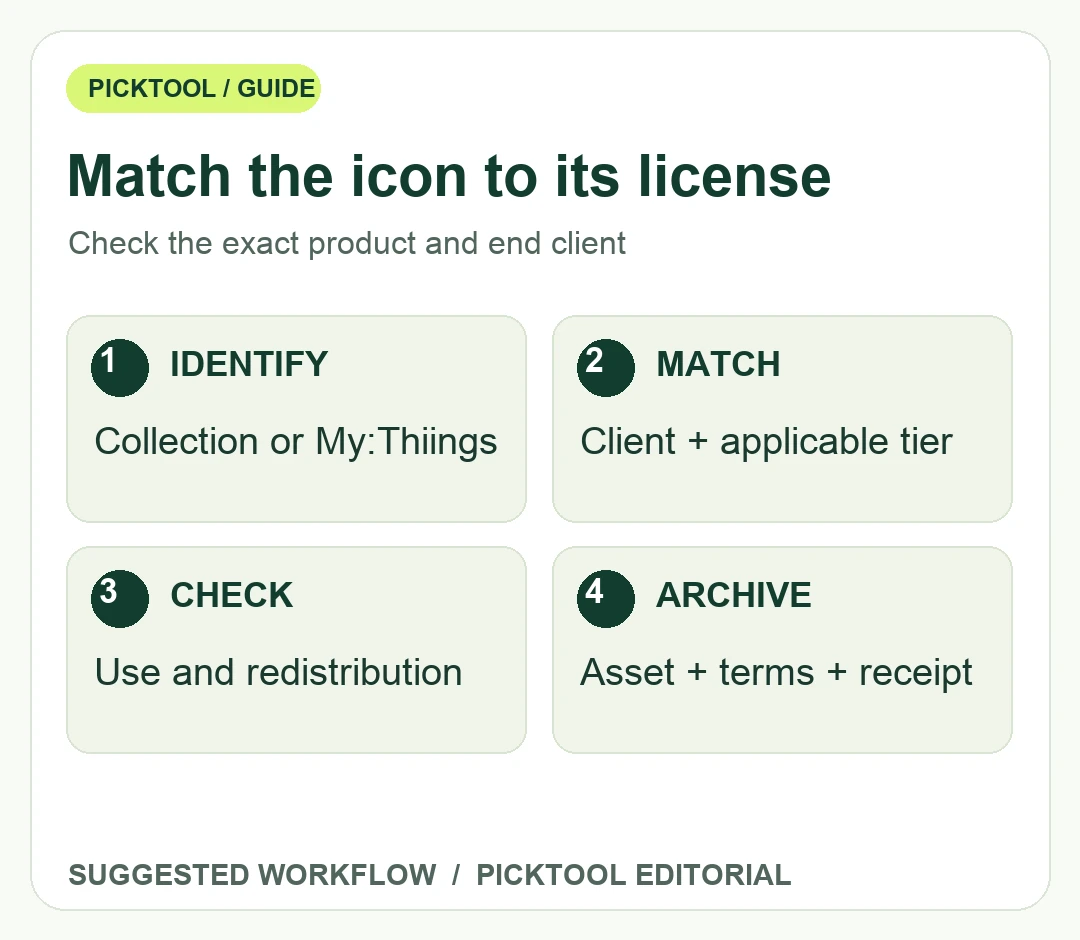
Start with the page or account from which the icon was obtained. Keep the download date, asset name or identifier, receipt where applicable, and a copy or dated reference to the relevant terms. If a teammate supplies an icon from an old shared folder, ask for that context before treating it as a current licensed download. A recognizable brand style does not identify the applicable contract.
For a hypothetical agency designing a paid client's landing page, record the client and intended placement before choosing a license. The main Thiings terms say that the required tier for client work follows the end client's annual revenue. That differs from simply checking the freelancer's own turnover. If the client's tier is uncertain, obtain an answer before delivering the icon as an approved production asset.
The current main collection page excludes businesses over $200,000 annual revenue from its Indie tier and businesses over $2 million from its Business tier. Confirm the full tier wording and any sales arrangement for the actual client. Do not infer how a threshold boundary is handled or apply an old purchase's conditions to a new transaction without checking the relevant record. Revenue information can be sensitive; keep it in an appropriate private project record rather than in a public design file.
Distinguish using an icon from redistributing an icon library
The main collection terms allow specified commercial uses under paid tiers but prohibit standalone asset resale and redistribution. An icon appearing as part of a finished website is a different use from offering a downloadable pack of the original files. A template, theme or design-system handoff can sit closer to that boundary, so ask the provider when the recipient will receive reusable source assets.
Plan the delivery around what the client needs. If the approved use is a finished page, do not automatically include the entire purchased collection in the project archive sent to a third party. If a developer needs an individual asset to implement the page, clarify that delivery with the applicable license and project agreement. This is a suggested review process, not a universal interpretation of every possible software distribution arrangement.
Attribution and third-party rights are separate checks. The main free tier requires attribution and disallows commercial use, while paid tiers describe different attribution conditions. Its terms also say the artwork license does not grant rights in depicted third-party marks or likenesses. Do not assume that licensing an icon of a recognizable product authorizes every advertising use of that product's identity.
Resolve contradictory wording before client approval
If the collection page and a different subdomain appear to give conflicting permission, send the provider the exact asset, download route and intended use. Ask which terms govern that transaction. Keep the answer with the asset record. Do not silently treat a broad statement on one product's page as an override for a more specific license on another product.
The main Thiings terms also describe legacy lifetime purchases under their original conditions. If you rely on one, preserve the actual purchase evidence rather than a colleague's memory that a lifetime plan existed. A current catalog label alone cannot establish what a particular older buyer received. When ownership of an agency account changes, check whether the intended client use is still covered rather than assuming every past purchase transfers automatically.
After the license question is settled, review the graphic at the final display size. Check contrast, cropping, file format and consistency with nearby icons. For print or merchandise, obtain the production specifications and verify the exported asset meets them. A useful permission record does not establish technical suitability, and a technically clean file does not settle permission.
Keep a small asset manifest with the approved file, source, governing terms, client, intended use and unresolved questions. If a client later changes the project from a private presentation to a public template marketplace, recheck the use before reusing the old approval. That record turns an ambiguous icon-folder handoff into a decision that can be reviewed and updated.
Read the UseIt Studio review for a different route to merchandise and packaging visuals. ↗
Sources & check dates
- 1. Thiings main collection license tiers and client rules ↗ · Checked 2026-10-28
- 2. My:Thiings separate terms and usage wording ↗ · Checked 2026-10-28
- 3. Thiings collection identity and scope ↗ · Checked 2026-10-28