
Start a HeyGen translation with one target language, verify the transcript and terminology, and choose an engine for the lip-sync you actually need. Current documentation lists Audio Only, Speed and Precision at different credit rates, with proofreading access depending on the plan.
A translated video needs more than recognizable words in another language. It must preserve the claim, handle names correctly, sound natural enough for the audience and avoid changing what a speaker appears to endorse. Treat translation as a reviewed publication workflow, with a person responsible for approving the meaning before the file goes live.
HeyGen's current help guide separates Audio Only, Speed and Precision engines and recommends a one-language check before expanding a job. It also distinguishes an input SRT used as translation reference from an output SRT supplied through Proofread mode. Those differences affect both the budget and the amount of control you have. This article proposes an evaluation process; it does not claim a native speaker reviewed a generated HeyGen output for Picktool.
Read the HeyGen product review for broader plan and workflow context. ↗
Prepare the source meaning before choosing lip-sync
Begin with the approved source video and a checked transcript. Mark product names, numbers, dates, technical terms and any statement that must not be softened or strengthened. If the video contains a price or eligibility condition, confirm that it still applies to the target audience rather than translating an outdated offer faithfully. Translation accuracy cannot rescue an incorrect source claim.
Create a small glossary with preferred spellings, pronunciations and terms that should remain unchanged. For a proposed software tutorial, this might include a product name, a menu label and a technical acronym. Give a language reviewer enough context to judge those terms in the actual scene. A dictionary translation of a button label may not match the label users see in the localized application.
HeyGen currently says the source video should contain one spoken language, since mixed-language input can fail or produce an inaccurate transcript. If your original moves between languages, decide whether to prepare separate clean sections or use another supported workflow. Do not assume automatic detection will preserve every switch. Run the pilot with material that represents the difficult part of the real video.
Choose the engine and review stage together
The current help page lists Audio Only at four credits per minute, Speed at six and Precision at ten. Audio Only changes the voice track without lip-sync; Speed and Precision include lip-sync. Confirm the displayed rate and plan terms when starting a job because these details can change. Choose based on the delivery need rather than automatically selecting the most expensive engine.
As an illustrative calculation using those documented rates, a three-minute video in one target language would correspond to twelve, eighteen or thirty credits before other conditions or later changes. Two target languages double that simple estimate if the same duration and engine apply. This is planning arithmetic, not a quote, a transaction receipt or evidence that a particular account has enough credits.
Proofreading should be part of that plan. The current guide lists Review & Edit access on Pro, Business, Team and Enterprise. Check the entitlement actually shown in your account before promising a client a word-by-word approval stage. An input SRT does not guarantee a word-for-word final script: the guide says it is re-translated. The output-SRT behavior described for Proofread mode is a different route.
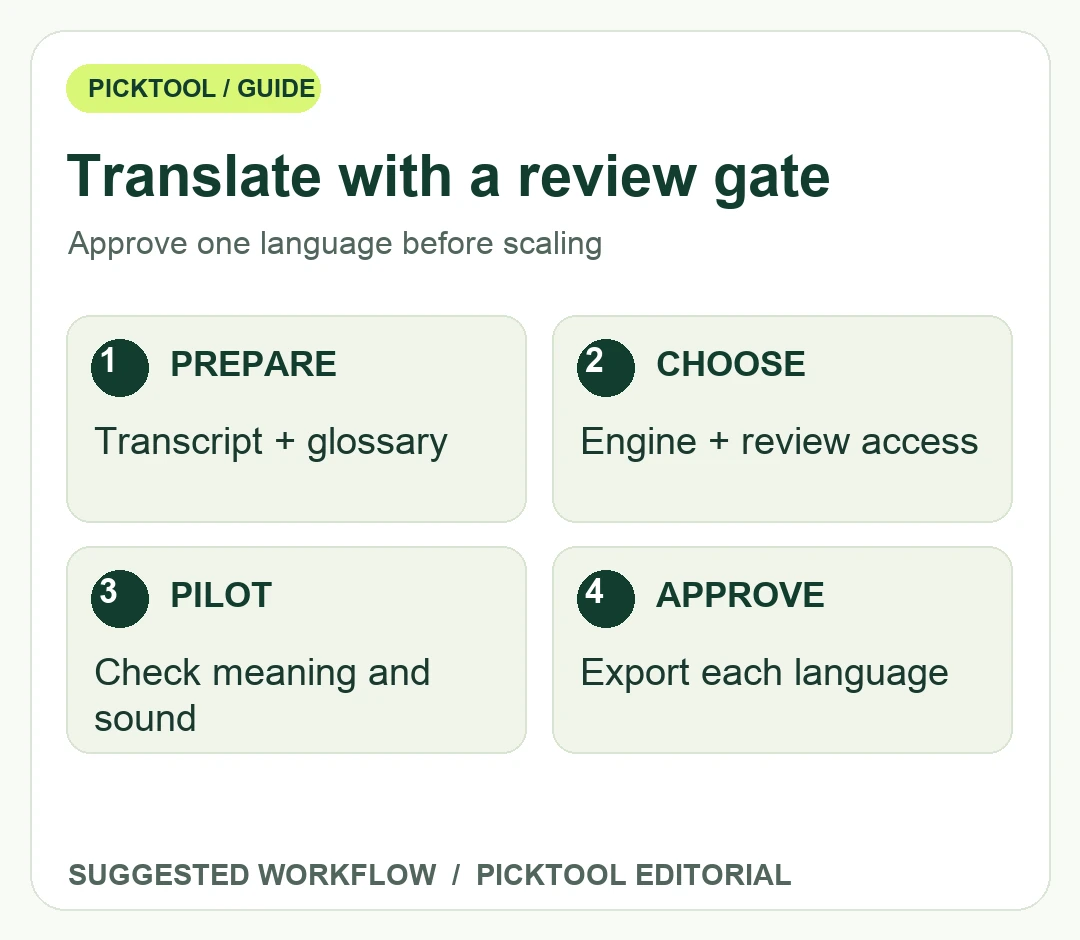
Run a one-language approval loop
Choose one representative excerpt, then ask a qualified reviewer to compare the translation with the source meaning. Review both the spoken audio and visible captions. A fluent voice can conceal an incorrect number or a missing qualification. Conversely, a literal transcript can be accurate but awkward to understand. Keep factual accuracy and natural delivery as separate review rows.
Watch names, units, time references and on-screen text. The translation job may replace speech while a chart, screenshot or price remains in the original language. Decide whether to edit that visual, add a translation or explain the limitation. If timing changes, check cuts, demonstrations and any text that depends on a particular spoken moment.
Consent and rights should be established before processing the speaker. HeyGen's safety material requires rights and explicit consent for the use of a person's likeness in avatars. For translation and voice-related work, confirm that the permissions you hold cover the intended processing and distribution rather than assuming permission to record an interview covers every synthetic adaptation. Keep the approval record with the project.
After the pilot passes, apply the approved terminology to additional languages, with a reviewer for each one. Recheck the downloaded file for audio balance, subtitles, framing and the final destination's playback. Save the source, glossary, approved script and export version together so a later correction can be traced to the right language file.
Use lip-sync when the visible speaker is central to the audience experience and the reviewed result supports it. Use an audio-only or subtitled approach when that better fits the material, budget or permissions. The success measure is an accurate and appropriately authorized explanation, not merely a completed generation job.
Sources & check dates
- 1. HeyGen current translation engines, SRT and proofreading guide ↗ · Checked 2026-10-28
- 2. HeyGen current plans and credit comparison ↗ · Checked 2026-10-28
- 3. HeyGen ownership, consent and acceptable use ↗ · Checked 2026-10-28