Use the video download menu to look for the separate SRT captions export, then validate the downloaded file against the final video. Keep subtitle export, translation input and proofreading output separate: they serve different stages and may have different account requirements.
A video with visible captions and a downloadable subtitle file are different deliverables. If you need to edit text, upload captions elsewhere or hand them to a client, check for the separate SRT export. Then inspect the file rather than assuming a successful download means it is ready to publish.
Find the documented SRT download route
HeyGen's download help describes opening the video's download controls from Projects or from the video itself. Alongside video and audio downloads, it documents captions as an SRT download. The reviewed article addresses paid users; do not assume that every free account, workspace role or video type has the same menu. [1]
Open the intended final revision and look for the separate captions option. If it is missing, check the current help, account permissions and the project's available controls before buying an upgrade or generating another video. A marketing page mentioning subtitles is not proof that a particular workspace can export the file you need.
Save the SRT with the video revision and language in the filename. For a fictional project, launch-v04-en.srt is less ambiguous than captions-final-final.srt. Keep an unchanged copy before making corrections so you can identify what changed.
Separate three subtitle stages
HeyGen's translation help distinguishes an input SRT supplied before translation from output text edited through Proofread. It says input SRT text is used as a reference and retranslated, while an output SRT uploaded through Proofread is spoken as written. These are not interchangeable promises of verbatim preservation. [2]
| Stage | Question to ask | Mistake to avoid |
|---|---|---|
| Input reference | Is this text guiding a new translation? | Assuming every input word will stay unchanged |
| Proofread output | Is this the approved target-language script? | Uploading an unreviewed draft as final wording |
| Downloaded captions | Do these cues match the final video revision? | Pairing old timestamps with a changed edit |
Inspect the subtitle file as text
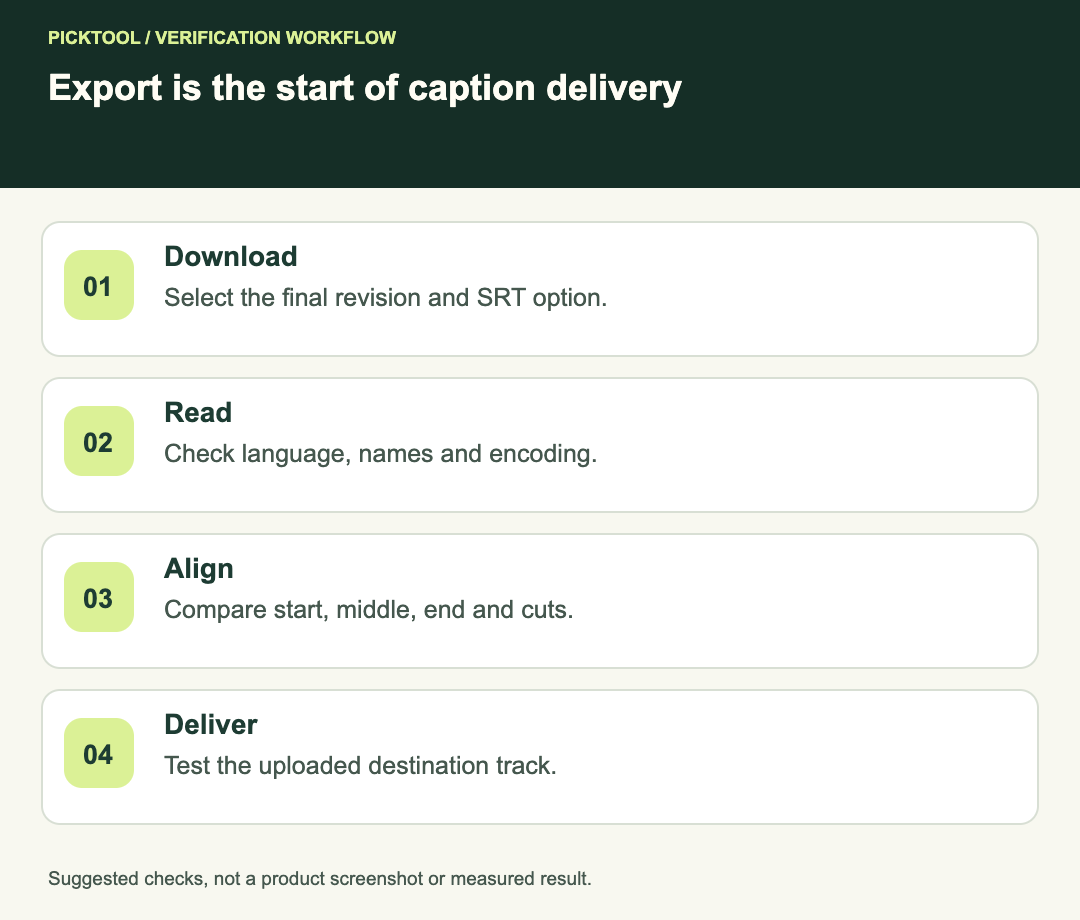
An SRT contains numbered cues, time ranges and caption text. Open a copy in a plain-text editor or subtitle editor. Check that it contains readable text rather than an error page saved under an .srt filename. Confirm the expected language and whether names or numbers were mistranscribed.
Use a short fictional line such as “The Lumora briefing starts at noon” as an inspection example. The point is not that this sentence appears in your export. It is to compare a specific spoken phrase with the matching cue and verify spelling, punctuation and timing together.
Keep the file in an appropriate text encoding. If accents or non-English characters become garbled after editing, stop and repair the encoding before uploading. Repeatedly copying the text through rich-text tools can also introduce unintended characters, so retain a clean master.
Check timing at the beginning, middle and end
Load the SRT beside the exact final video in a player or subtitle editor that supports external captions. Check the first spoken phrase, a middle section and the last phrase. A file can align at the start and still fail after a cut or timing change.
HeyGen's translation guide describes timing behavior that can change segment duration. [2] More generally, any later cut, inserted intro or speed adjustment makes old timestamps suspect. Re-export or retime from the final revision instead of renaming the old file to look current.
If every cue is similarly early or late, investigate a constant offset. If the mismatch grows or jumps after an edit, inspect the relevant timing change. Do not move all cues until the first line looks correct and skip the rest of the file.
Check meaning as well as spelling
Review personal names, product terms, prices, dates and negations against the approved script or source. A fluent subtitle can still reverse a qualification. For translated captions, have someone who understands the target language review sensitive wording instead of relying only on a back-translation.
Read captions at playback speed. A technically valid cue can be too dense or appear too briefly to be useful. Preserve meaningful speaker changes and necessary non-speech context when the delivery requires accessible captions. Treat decorative on-screen text and complete captions as separate editorial decisions.
Reuse without losing the master
Keep three clearly labeled assets when the job needs them: the final clean video, the approved subtitle file and a separate version with burned-in text if requested. A client who only receives burned-in captions cannot edit their wording as a subtitle track.
Before uploading to another platform, check that platform's supported formats and restrictions. Converting SRT to another format requires conversion of its structure and timestamps, not merely changing the extension. Test the uploaded result on the destination because a local player is only one part of the delivery path.
Compare SRT and VTT structure before converting a subtitle file ↗
Read the broader HeyGen review and workflow limitations ↗
Final acceptance
- Correct video revision and language are named consistently.
- The file opens as readable subtitle text.
- Names, numbers and approved terminology have been reviewed.
- Start, middle, end and edited boundaries align with the final video.
- The destination accepts the file and displays it as expected.
- A clean master remains available for future corrections.
The download and translation distinctions above come from HeyGen's help. The validation checklist is editorial guidance. We did not generate a HeyGen video, test a paid workspace or benchmark subtitle accuracy.
How we assessed this tool
Official-source research and a review of the first 10 organic Google results for the recorded query. Workflows, diagrams and fictional examples are editorial guidance. No installed-product, paid-generation or output-quality benchmark was performed.
Questions & answers
Does a video with captions always include an SRT download?
No. Check the actual download menu, current account permissions and applicable HeyGen help. Visible text in the video is a separate deliverable.
Will an input SRT preserve every translated word?
HeyGen’s translation help says input SRT is a reference that is retranslated. It distinguishes that route from output text uploaded through Proofread.
Can I reuse the same SRT after cutting the video?
Only after checking and, where necessary, retiming it against the new final edit. An old filename does not establish correct timing.
Sources & check dates
- 1. HeyGen: download or export a video and captions ↗ · Checked 2026-10-29
- 2. HeyGen: video translation input and output proofreading ↗ · Checked 2026-10-29