Choose the subtitle format required by the destination. SRT is a simple numbered-cue format; WebVTT uses a WEBVTT header and different timestamp syntax, with additional web-caption features. Convert the contents, then test playback. Renaming .srt to .vtt is not a reliable conversion.
SRT versus VTT is a delivery decision before it is a feature comparison. A file that works in one player can lose styling or fail in another. Begin with the platform's accepted formats, then preserve a clean text-and-timing master so future exports do not depend on a decorative caption style.
Compare the basic structure
WebVTT is a W3C timed-text format. Its file signature is WEBVTT, and cue timestamps use a period before milliseconds. Cue identifiers are optional. Its specification includes cue settings and other capabilities beyond a plain text transcript, but a format capability is not a promise that every hosting platform exposes it. [1]
YouTube's file-format help accepts basic SRT in plain UTF-8 and says it does not recognize SRT styling markup. It also lists WebVTT with restrictions. Check the destination's current rules before depending on formatting. [2]
| Feature | Simple SRT delivery | Simple WebVTT delivery |
|---|---|---|
| Header | No WEBVTT signature | WEBVTT signature |
| Cue labels | Numbered cues are customary | Cue identifiers are optional |
| Milliseconds | Comma, such as 00:00:01,000 | Period, such as 00:00:01.000 |
| Safest portable core | Text and timing | Text and timing |
| Rich layout | Do not assume markup survives | Check player and platform support |
The following fictional example expresses one cue in two forms. It is a teaching example, not a caption exported from a tested product.
| Part | SRT example | VTT example |
|---|---|---|
| Signature | None | WEBVTT, followed by a blank line |
| Identifier | 1 | Optional cue identifier |
| Time range | 00:00:01,000 --> 00:00:03,000 | 00:00:01.000 --> 00:00:03.000 |
| Text | Check the final export. | Check the final export. |
Blank lines separate cues in a complete file. Use a subtitle-aware editor or converter to preserve the structure instead of copying this comparison table into a file and assuming it is ready.
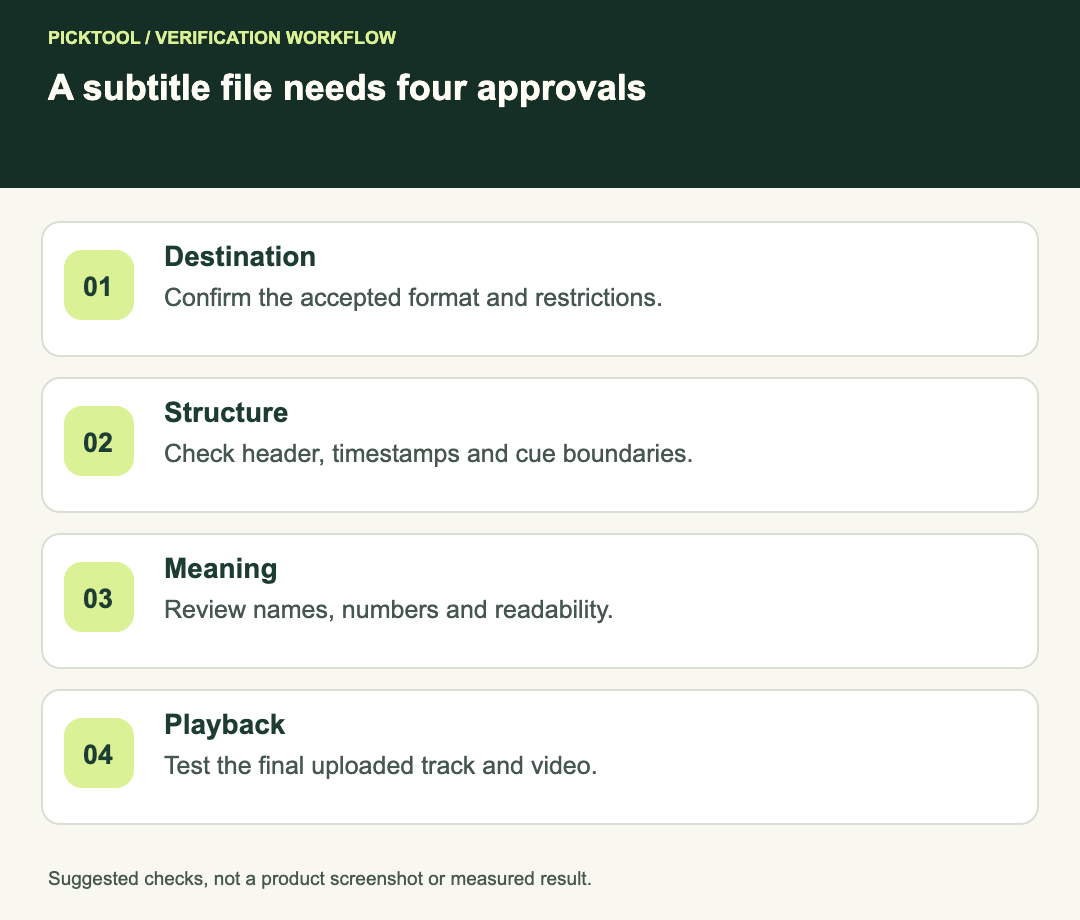
Choose from the destination backward
If the uploader requests SRT, provide SRT. If you are building a web player that uses WebVTT, validate against that player's requirements and the WebVTT specification. Do not choose a format merely because a generic guide calls it more modern or better for SEO.
For a multi-platform job, keep an approved text-and-timing source and export separate delivery files. Record which destination each file serves. A client should not have to guess whether launch-en.srt and launch-en.vtt contain identical wording or different revisions.
If precise caption positioning is essential, test that requirement on the destination early. Discovering that a platform ignores your styling after the full video is approved is more expensive than checking one representative cue at the start.
Convert contents rather than the extension
A proper conversion adjusts the expected signature, timestamps and cue structure, and handles supported metadata or formatting. Merely renaming a file can leave the receiving parser looking for syntax that is not there.
After conversion, compare cue count, first and last timestamps, language and several representative lines. Check accented names and non-Latin characters. If the conversion drops information the destination cannot support, decide whether that loss is acceptable rather than assuming a successful save preserved everything.
Keep an untouched original. Repeated conversion between formats can make it difficult to identify when punctuation, line breaks or timing changed. A simple revision note should say what was converted, which source revision was used and where the result was tested.
Separate syntax checks from editorial checks
Syntax validation asks whether the file follows the expected structure. Editorial review asks whether the captions are accurate, readable and useful. A perfectly structured file can still contain the wrong product name, omit a negation or appear too quickly to read.
Check cue order, start-before-end timing, unintended overlaps and unexpected large gaps. Then compare the text with the final audio. If an overlap is intentional for speakers or layout, verify that the actual player handles it as intended rather than rejecting every overlap automatically.
Read at normal playback speed. Break lines where they support meaning and avoid a dense block that obscures the video. Do not claim a universal character limit from one platform's convention; use the relevant delivery specification and inspect readability in context.
Test the complete delivery path
Play the converted file locally with the exact final video, then upload it to the destination and inspect that result. Check the start, middle, end and an edited boundary. A new intro or removed section can invalidate timestamps even when the file format remains valid.
Toggle the caption track where the player permits it, inspect the language label and compare text on a small screen. If the video also contains burned-in captions, check whether enabling the selectable track produces an unintended duplicate. A subtitle file is only one part of the viewer's experience.
Compare selectable captions with text burned into a Shorts video ↗
Apply the file checks after downloading HeyGen captions ↗
A useful handoff package
- The final video revision and approved caption master.
- A destination-specific subtitle file with a clear language label.
- A note of any formatting intentionally removed during conversion.
- A record of text, timing and destination playback checks.
- A clean copy retained for corrections and future formats.
This comparison is based on the W3C format specification and YouTube's documented restrictions. The examples and validation sequence are editorial guidance, not a benchmark of every converter or player.
How we assessed this tool
Official-source research and a review of the first 10 organic Google results for the recorded query. Workflows, diagrams and fictional examples are editorial guidance. No installed-product, paid-generation or output-quality benchmark was performed.
Questions & answers
Can I rename an SRT file to VTT?
Renaming does not reliably convert the contents. Use a subtitle-aware conversion and inspect structure, characters and playback.
Does VTT preserve all styling on YouTube?
Do not assume it. YouTube documents format-specific restrictions, and player support must be checked for the actual delivery.
Does a valid file prove caption accuracy?
No. Syntax, text accuracy, readability and alignment with the final edit need separate checks.
Sources & check dates
- 1. W3C: WebVTT specification ↗ · Checked 2026-10-29
- 2. YouTube: supported subtitle and caption files ↗ · Checked 2026-10-29