Export a vector asset as SVG, reopen the downloaded file in the destination editor, and check paths, embedded raster images, text and bounds. An SVG extension alone does not prove that all visible artwork is editable vector geometry.
Recraft SVG export solves the download step. A reliable handoff also needs an inspection of what the file contains. A logo can look sharp in a browser while still containing an embedded bitmap, missing text or an oversized canvas. This guide separates the documented export controls from a suggested file inspection you can perform on your own artwork.
Choose the asset before choosing the format
Recraft documents selecting an image on the canvas, opening Export in the context panel, and choosing dimensions, format and resolution. The available choices depend on the asset; its documentation identifies SVG and PDF as scalable formats for vector images. Right-clicking the image also offers an export route. [1]
For this workflow, start with the vector version you intend to deliver. If you began with a raster image, treat vectorization as a separate conversion and inspect its result. Recraft provides a vectorizer, but its existence does not mean that tracing will preserve every tiny shape, gradient or letter exactly. [2]
Keep the original project and a reference PNG alongside the SVG. The PNG is a visual comparison, not a substitute for editable artwork. Name the files so the recipient can identify the same revision, such as lumora-mark-v03.svg and lumora-mark-v03-reference.png. Lumora is a fictional example here.
What an SVG can contain
SVG supports an image element that can reference raster image content. Consequently, a file can be a valid SVG document without every visible element being a path. The format label and the contents answer different questions. [3]
| Inspection | Useful evidence | Reason to pause |
|---|---|---|
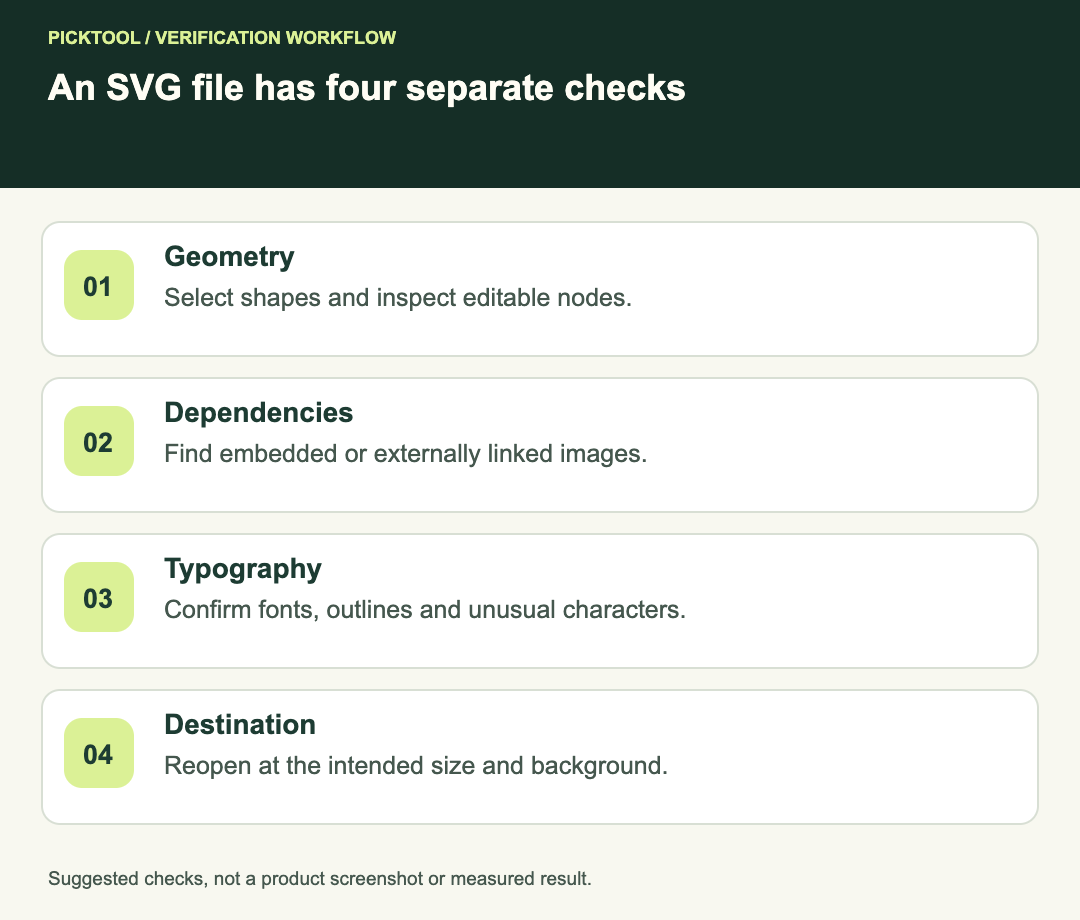
| Select a visible shape | Individual nodes or vector objects appear | The entire design selects as one bitmap |
| Inspect text | Intended font or outlined letter shapes remain | Missing font, substituted glyph or broken spacing |
| Inspect linked resources | All required content travels with the file | Artwork depends on a local file path |
| Compare the canvas | Intended crop and clear space are present | A large empty margin changes placement |
Reopen the actual downloaded file
Open the download in the editor your collaborator will use, rather than looking only at the Recraft canvas. If the destination is a print workflow, ask which editor and file format the printer accepts. Compatibility is a requirement to confirm, not something a successful download can demonstrate.
Select a simple shape and inspect its nodes. Then inspect a complex area such as a face, texture or shadow. A hybrid file might contain editable shapes around a raster centerpiece. That may be acceptable for a web illustration, but it would not satisfy a request for a completely editable vector mark.
Zoom in to identify edges, then zoom back to the intended display size. Very high zoom can reveal construction details that will never be visible in use. Conversely, a design that looks impressive at a large size can become illegible in a navigation bar. Check both the structure and the actual job.
Decide how text should travel
Editable text is useful when a designer must change the wording. It also creates a dependency on font availability and appropriate font rights. Outlined lettering can preserve a chosen appearance but removes ordinary text editing. Neither choice should be made silently for a client.
In a handoff note, specify whether the recipient should edit the words or only scale and position the finished mark. Check accents, punctuation and unusual letter combinations against the reference. If you outline text in a separate editor, keep an editable master before that conversion. A revision request should not force you to reconstruct the original wording from paths.
Check bounds, colors and small details
Place the SVG on both a light and a dark background in the destination. White artwork can appear missing on a white canvas, while a hidden background rectangle can make a supposedly transparent mark look like a square. Check that the intended background is a design decision rather than an export accident.
For a fictional delivery brief of a 24-pixel website icon and a larger presentation logo, create separate previews at those two sizes. If a thin line disappears in the small preview, simplify the small-size version instead of assuming that scalable geometry guarantees readability. These are proposed checks, not measured Recraft output results.
Also inspect isolated dots, open contours and unintended clipping. If your printer requires a particular color profile or spot color, obtain its specification before converting the artwork. A screen preview does not certify a press result.
A practical acceptance checklist
- The downloaded SVG opens in the destination editor without missing resources.
- Every element required to be vector is actually editable as vector geometry.
- Text appearance and the chosen editable or outlined delivery agree with the brief.
- The canvas, transparent areas and clear space match the approved reference.
- A small-size preview remains legible, and the intended large-size use has been checked.
- The recipient receives a versioned master, reference preview and a short note about dependencies.
When to export PNG instead
If the recipient needs a fixed-size image for a social post, a PNG may be the simpler deliverable. Keep the SVG master if future scaling or editing matters, and export the raster image at the required dimensions. Sending more file types without explaining their purpose can create avoidable version confusion.
Check transparency and edges when delivering a Recraft PNG ↗
See Recraft's broader workflow, limitations and source-backed review ↗
What this guide establishes
The export controls and format capabilities are supported by the primary sources below. The inspection sequence, fictional filenames and acceptance criteria are Picktool editorial guidance. We have not generated or inspected your Recraft file, and this article does not certify a particular printer, font license or output.
How we assessed this tool
Official-source research and a review of the first 10 organic Google results for the recorded query. Workflows, diagrams and fictional examples are editorial guidance. No installed-product, paid-generation or output-quality benchmark was performed.
Questions & answers
Does an SVG extension prove that an image is fully vector?
No. SVG can contain raster image content. Reopen the file and inspect the objects needed for your delivery.
Should I outline all text?
Choose according to the recipient’s editing needs and font dependencies. Keep an editable master before outlining text in an editor.
Why is my SVG blurry in another app?
Check for embedded raster content, the app’s preview mode and the size at which the artwork is being displayed. The file itself must be inspected to identify the cause.
Sources & check dates
- 1. Recraft: export an image ↗ · Checked 2026-10-29
- 2. Recraft: image vectorizer ↗ · Checked 2026-10-29
- 3. W3C SVG: embedded image content ↗ · Checked 2026-10-29