Listen with a timestamped claim ledger, pause on names, numbers and strong conclusions, and verify each against the original sources. Fixing a source or prompt does not prove a regenerated overview is correct. Google now calls the product Gemini Notebook, and warns that Audio Overviews can contain inaccuracies.
An Audio Overview can sound coherent while changing a number, overstating a conclusion or blending two sources. The right review process treats the audio as generated editorial output. Listen for the claims you may reuse, then check their evidence rather than approving the whole recording because it sounds natural.
This guide covers the Google product many people still search for as NotebookLM. Its current official branding is Gemini Notebook. [1] The workflow below is a proposed fact-checking method, not a report of an audio-generation test.
Understand what is being generated
Google describes Audio Overviews as AI-host discussions summarizing key topics in uploaded sources. Its current help says they may contain inaccuracies or audio glitches, and describes generating them from the Studio panel with customization options. [2]
Those capabilities do not establish that every source detail is included or every spoken claim is correct. Decide the purpose before generation: private orientation, a study aid, a client briefing or material intended for publication. A higher-consequence use needs a more complete review and appropriate human expertise.
Do not publish an overview as a factual interview with real people. If the output is shared, describe its generated nature and the review you actually completed. A fact-check note should be specific enough to be meaningful, not a blanket assurance that “AI checked it.”
Prepare a source and scope note
List the source documents, versions and the topic the overview should cover. Identify excluded or outdated documents. Google documents selecting sources for chat and using citations to inspect supporting passages; that chat workflow can help investigate a spoken claim, but the original source still needs review. [3]
Keep a separate copy of the review note. If the notebook later gains a new document, you should still know which sources informed the version you approved. Record the overview's revision or generation time and the intended audience.
For a long source collection, start with the most important claims for the actual use. A private listening aid may tolerate a clearly disclosed rough summary; a public factual brief should not skip a number simply because checking it is inconvenient.
Build a timestamped claim ledger
Use one row for each statement that needs verification. Record an approximate audio timestamp, the claim in your own words, the source location, a status and an action. Manual timestamps are sufficient; this method does not depend on an unverified transcript-export feature.
| Audio location | Claim type | Evidence to inspect | Possible action |
|---|---|---|---|
| 01:20, illustrative | Person or product name | Original spelling and identity | Correct the note or regenerate and recheck |
| 03:10, illustrative | Number or comparison | Table, unit, denominator and period | Narrow, correct or remove the claim |
| 05:40, illustrative | Cause or recommendation | Source's actual strength of evidence | Replace an unsupported conclusion |
| 07:00, illustrative | Source disagreement | Both passages and their dates | Explain the disagreement |
The timestamps above are fictional examples of ledger entries. They do not describe an audio file we generated or listened to.
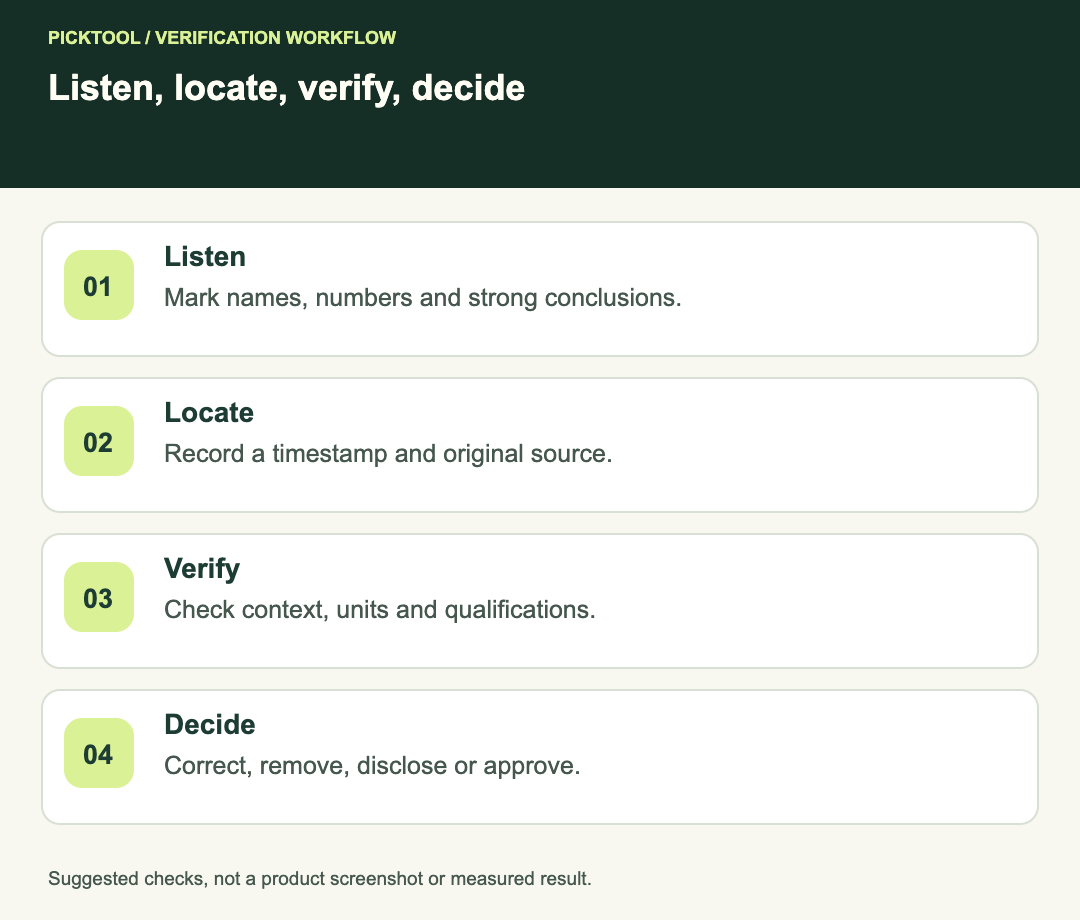
Check names and identities first
Write the spoken name and compare it with the original document. Confirm that two people or products with similar names have not been combined. For a pronunciation issue, distinguish an awkward rendering of the right name from a statement about the wrong entity.
If you plan to quote the overview publicly, verify the underlying source rather than treating the AI hosts as an authority. An attractive audio narrative does not create a new factual source for a product claim or research finding.
Check numbers with their context
Consider a fictional report that says 12 of 20 volunteers completed a task during a pilot. If the overview says “most customers finish within a day,” the sample and population have changed. If it says “the tool caused the improvement,” a causal conclusion has been added. The arithmetic may be simple while the claim remains unsupported.
For each number, inspect the unit, timeframe, denominator and comparison baseline. “Up by 20%” and “up by 20 percentage points” are different statements. If the source itself is unclear, mark the item unresolved instead of inventing a precise interpretation.
Do not approve a statistic solely because a follow-up chat repeats the same number. Open the cited passage or original table. Agreement between two generated outputs is not independent confirmation.
Review conclusions and omissions
Listen for strong language such as “proves,” “always,” “best” or “therefore.” Compare that wording with the source's qualifications. A cautious observation can become an overconfident recommendation when compressed into a conversation.
Also ask what important limitation was omitted. A summary can contain individually accurate sentences and still give a misleading overall impression if it excludes a small sample, conflicting result or major eligibility restriction. Use the intended audience's decision as the test: what context would they need to avoid misunderstanding?
When sources disagree, record both positions and their dates. Do not let the audio's smooth transition turn an unresolved disagreement into an apparent consensus. Narrow the final briefing if the evidence cannot support a broader conclusion.
Correct, regenerate and recheck
If a source is wrong or outdated, address the source set. If the requested focus is misleading, revise the instruction. Then review the regenerated audio as a new output. A corrected prompt is a change request, not proof that every affected sentence is now accurate.
Recheck the previously failed claims and scan for new problems around them. Keep the earlier review log so you can identify whether the change solved the original issue. If you cannot produce a reliable spoken version, use a reviewed written summary instead of repeatedly publishing an unchecked output.
Verify the PDF passages and tables behind an audio claim ↗
Read the broader Gemini Notebook review ↗
Release only what you reviewed
- Source versions and the reviewed audio revision are recorded.
- Names, numbers and strong conclusions have explicit verification outcomes.
- Important limitations and disagreements are retained.
- Unresolved claims are corrected, removed or clearly disclosed.
- Any regenerated output receives a fresh review before sharing.
The ledger and fictional examples are original editorial guidance. We did not generate an Audio Overview, assess a private notebook or measure a hallucination rate.
How we assessed this tool
Official-source research and a review of the first 10 organic Google results for the recorded query. Workflows, diagrams and fictional examples are editorial guidance. No installed-product, paid-generation or output-quality benchmark was performed.
Questions & answers
Can I trust an overview because it uses uploaded sources?
Source-based generation still needs checking. Compare the exact spoken claim with the original evidence and preserve the source’s limitations.
Does regenerating after a correction finish the fact-check?
No. Treat the regenerated audio as a new version and verify the affected claims again, while checking for new issues.
Do I need an exported transcript to use this method?
No. A manual timestamped ledger works. Record the claim, source location and action without assuming a particular transcript feature is available.
Sources & check dates
- 1. Google: current Gemini Notebook product page ↗ · Checked 2026-10-29
- 2. Google: generate Audio Overviews and accuracy warning ↗ · Checked 2026-10-29
- 3. Google: chat, selected sources and citation review ↗ · Checked 2026-10-29